Exploring Android Protections on RASP Times
- Published on
Post Date
- Authors

- Name
- David Torres Hoyos
- X
- @deivid
TL;DR#1: The post will discuss some basic methodologies for exploring the behavior of RASP solutions using static analysis, Frida, and Radare2. No method of bypassing protections will be addressed directly.
TL;DR#2: We will cover real-world examples of RASP protections. However, the main examples were created using the r2pay application, which is part of MAS Crackmes.
The Evolution: From Smali to Native Obfuscation
Those of us who have been working in mobile application security for some time remember the “old days”. Most application protections could be traced and analyzed directly in the Smali code. Methods for detecting a modified device or instrumentation tools were relatively easy to identify and, with little effort, simple to evade. The code was readable, and the detection logic was visible to all.
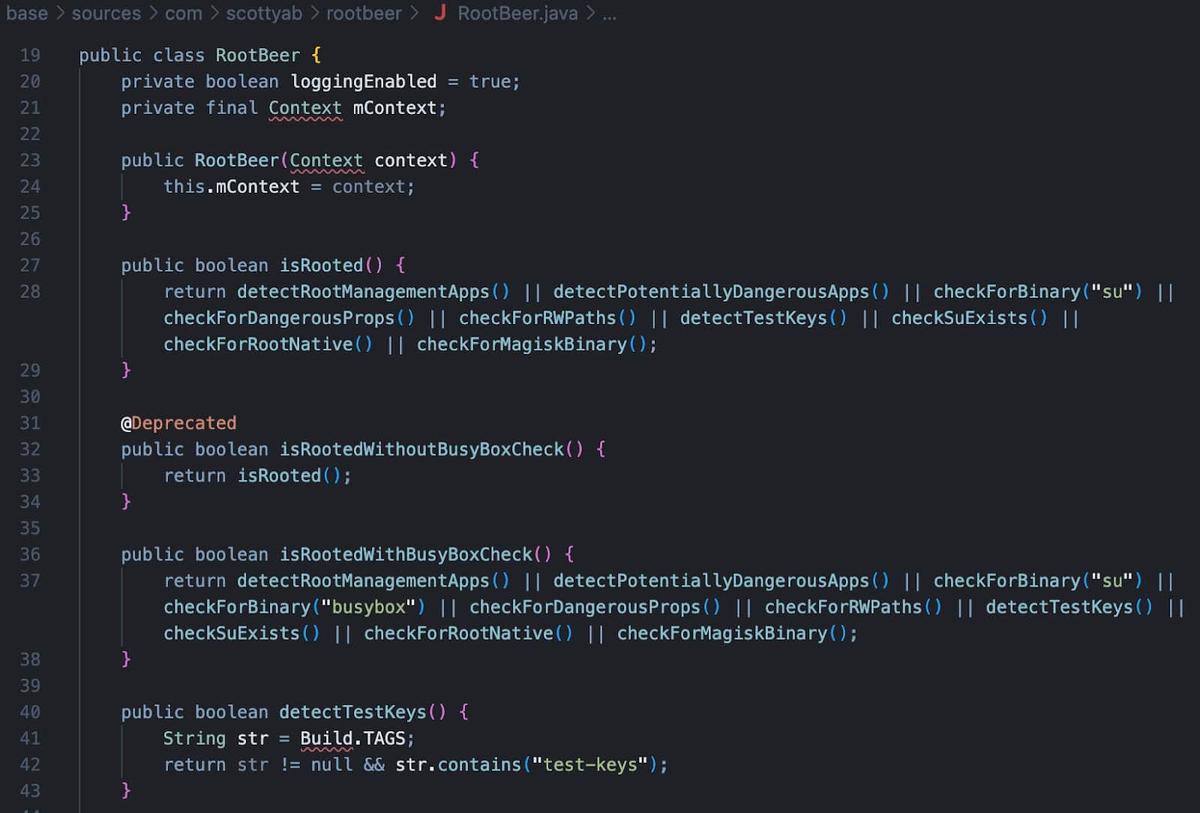
However, the landscape has evolved dramatically. Today, we are faced with complex, real-time detection systems known as RASP (Runtime Application Self-Protection).
These modern solutions have raised the bar: Java code is heavily obfuscated, text strings are encrypted, and critical detection logic has been delegated to native libraries. Nowadays, static analysis is no longer sufficient. You can check how we improve our static analysis workflow using Nuclei before diving into native code.
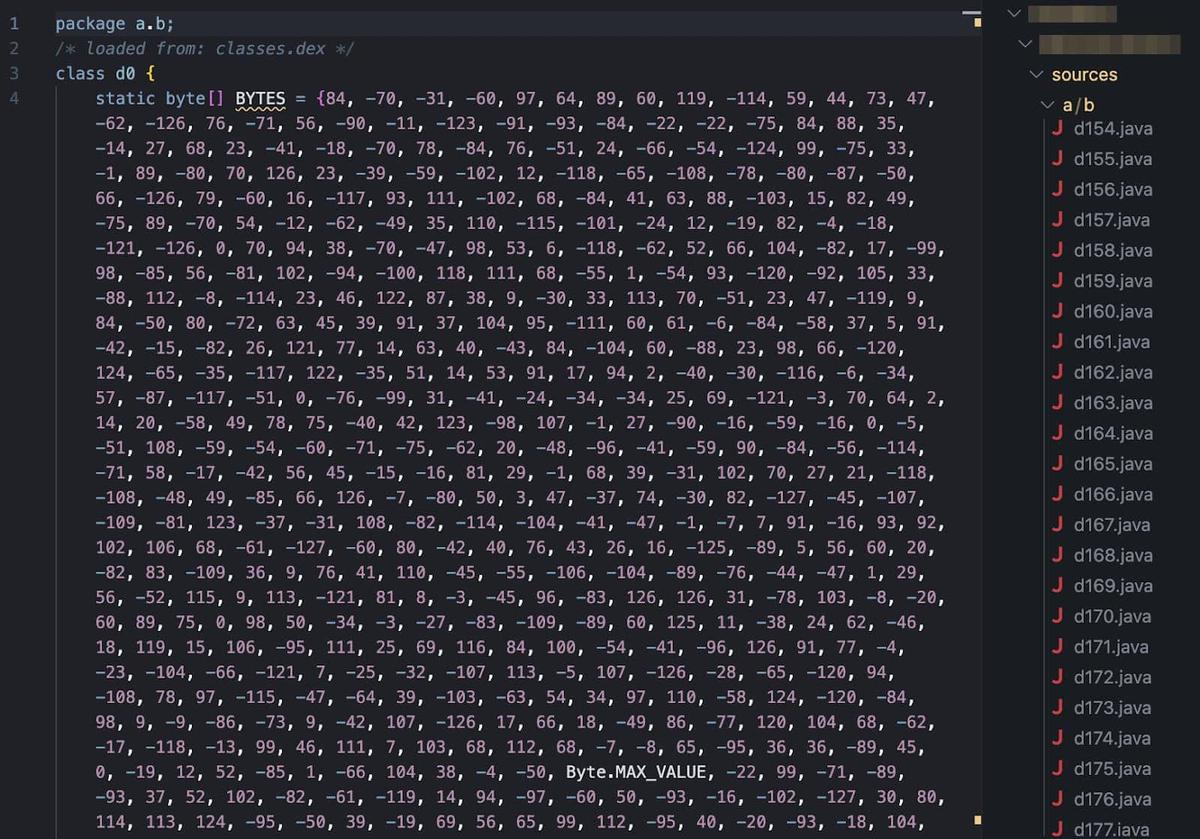
This is why it is important to establish some methodologies that allow us to approach these protections and understand their behavior.
Understanding RASP
RASP solutions refer to Runtime Application Self-Protection technologies, which embed security directly into running applications to detect and block threats in real-time. They employ multiple techniques to achieve this, including detecting emulated devices, rooting devices, hooking tools like Frida, and integrity checks to verify the authenticity of app components. All of these are building a strong and resilient security framework.
This technology presents a significant challenge to researchers and pentesters due to its advanced protection mechanism. In summary, RASP includes obfuscation techniques, runtime monitoring, and multilayered mechanisms that make it harder to bypass these libraries.
The global market is filled with advanced providers that offer not only an SDK but also a complete package to protect applications. A few of them are: Guardsquare, Verimatrix (purchased by Guardsquare), Dove Runner, WhiteCryption (now part of Zipperium), Appdome, Promon, Build38, Protectt.ai, and Talsec (known for its free Rasp solution FreeRasp).
To continue exploring these solutions, our team uses Tungstenic, a tool designed to scan not only vulnerabilities on mobile applications, but also to conduct a reconnaissance over them and identify used SDKs for Biometry, third-party libraries, and protections. This made it possible to quickly identify which applications used the aforementioned solutions and use them to explore how each one works.
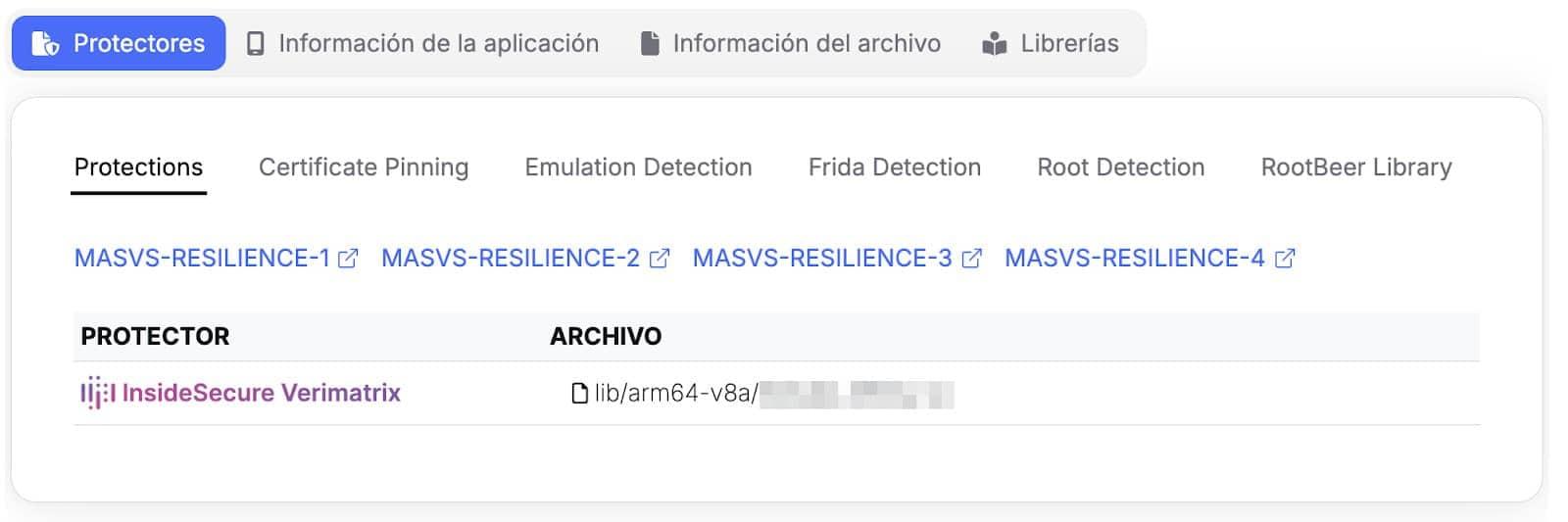
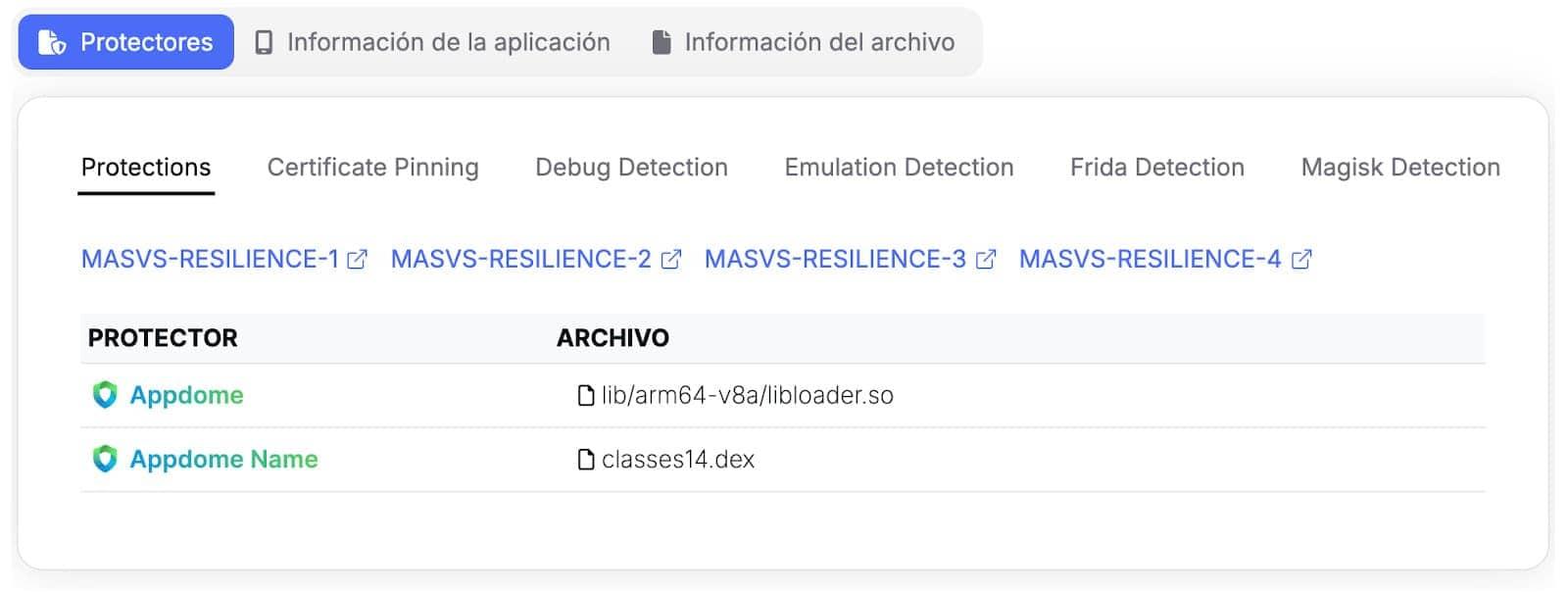
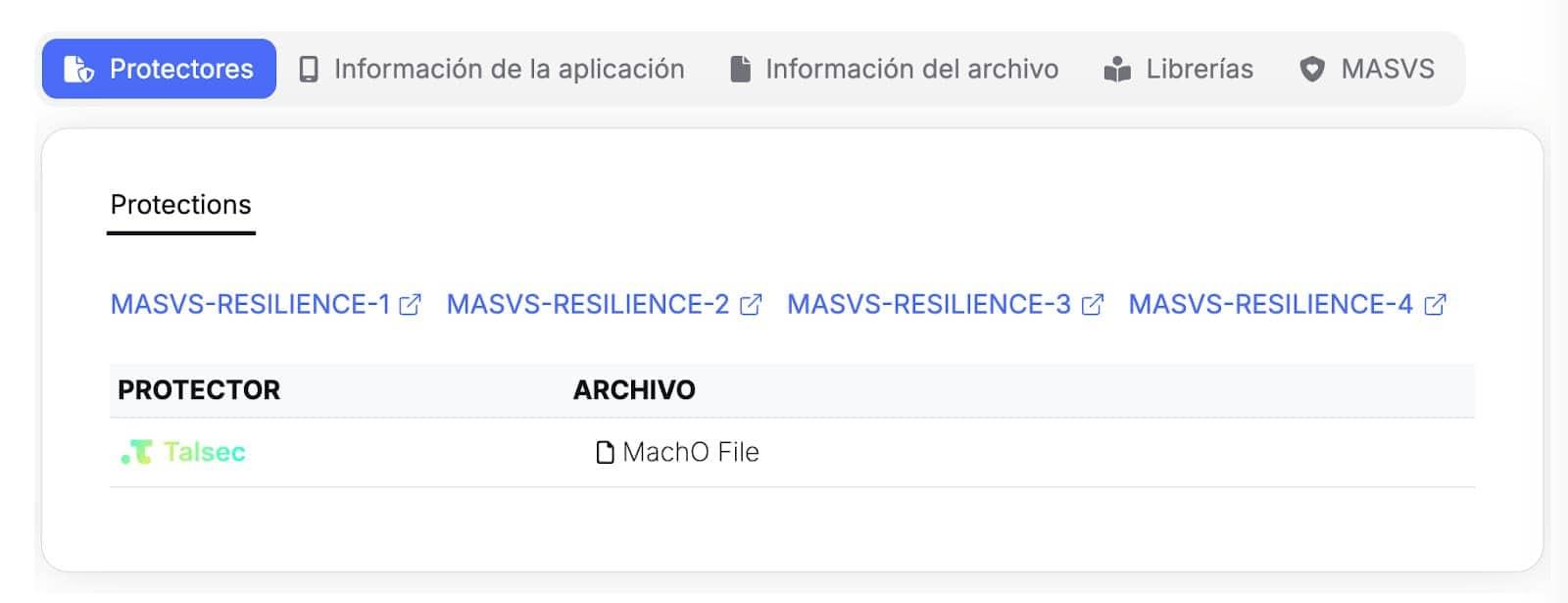
Protections Recon performed by Tungstenic
Using the sample obtained from our tool, we prepare the following methodology:
Basic Methodology
This is a basic methodology created for those who want to approach advanced protection analysis for the first time. We don’t cover tools like QDBI or topics like custom kernels to evade protections.
Initial Setup
One of the most important and often underestimated conclusions is that the initial configuration of the testing environment is one of the most critical steps. A good setup can save us hours of analysis, allowing us to avoid the most superficial layers of detection from the outset.
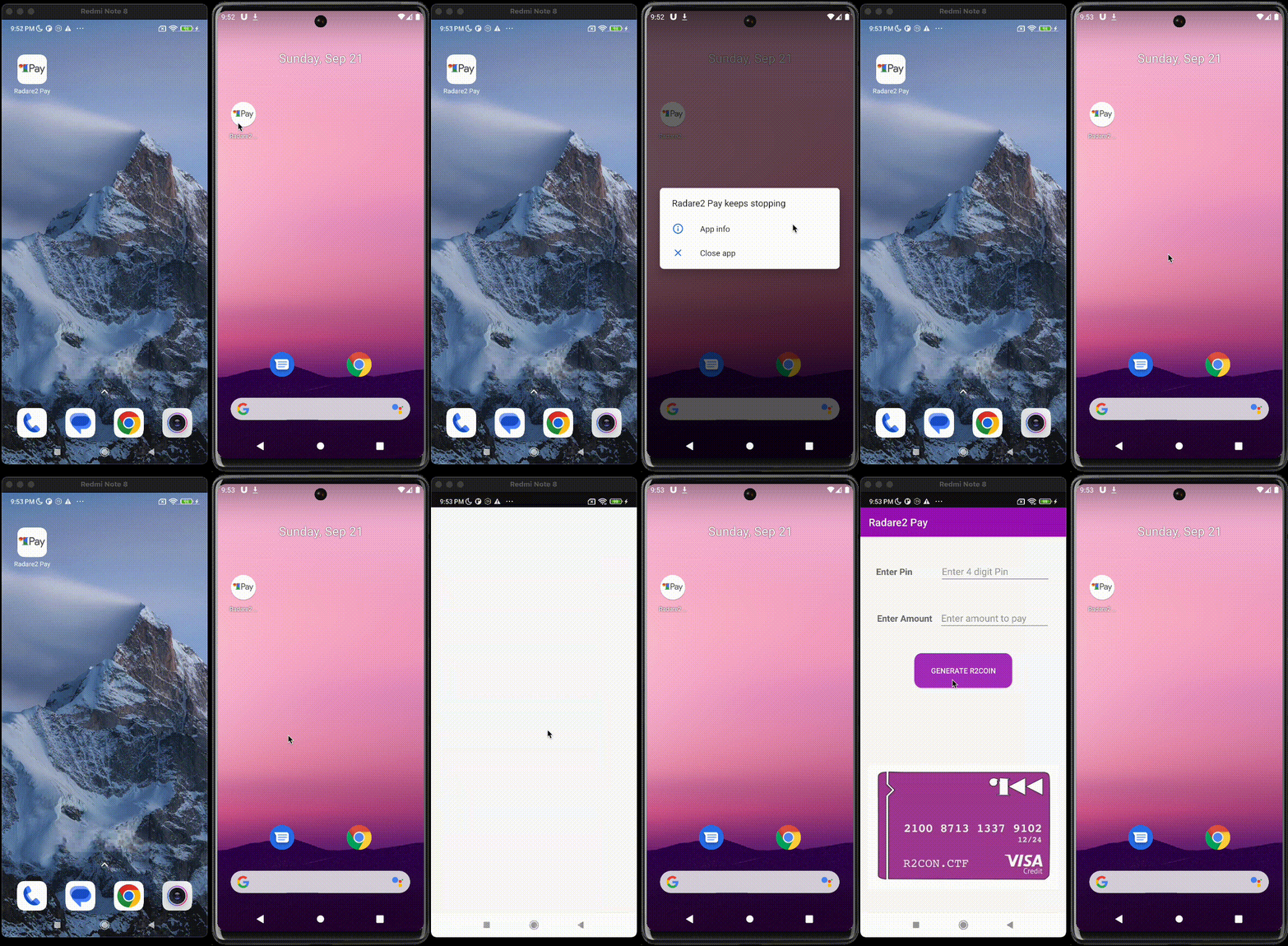
Choosing the rooting method is a crucial step. The most common options and their impact are:
-
Magisk: This is the most common method for rooting devices, but precisely because of its popularity, it is also the easiest for RASP solutions to detect.
-
Kitsune Magisk: A Magisk fork designed to evade some of these detections. Although it is a good alternative, its development has been archived (meaning it no longer receives updates and could become obsolete in the face of new detection techniques).
-
Kernel-based alternatives: Solutions such as KernelSu and its fork Apatch offer much deeper and more customizable control. The advantage of these solutions is that they operate at a lower level (kernel space) than the applications and frameworks that RASP solutions typically query (userland), making their modifications inherently more stealthy and difficult to detect.
If you’d like to explore other alternatives, you may find one that can easily bypass many of the validations performed by the RASP, so feel free to do so.
Bypassing Play Integrity Validation
Before even touching the RASP, you must ensure the device passes Google’s Play Integrity API. It checks if the user actions and server requests are coming from a genuine app, installed by Google Play, running on a non-modified Android device.
This is similar to the validations performed by different RASP technologies; as a result, the measures offered by Google are often confused with the presence of these solutions, and some vendors even directly integrate Play Integrity validations into their offerings.
It is important to first bypass Google’s validations and confirm that more in-depth analysis is needed to circumvent the additional protections present in the application (Many RASP vendors integrate directly with this API, so bypassing Google’s own integrity checks is often a mandatory first step for making the application functional in a test environment).
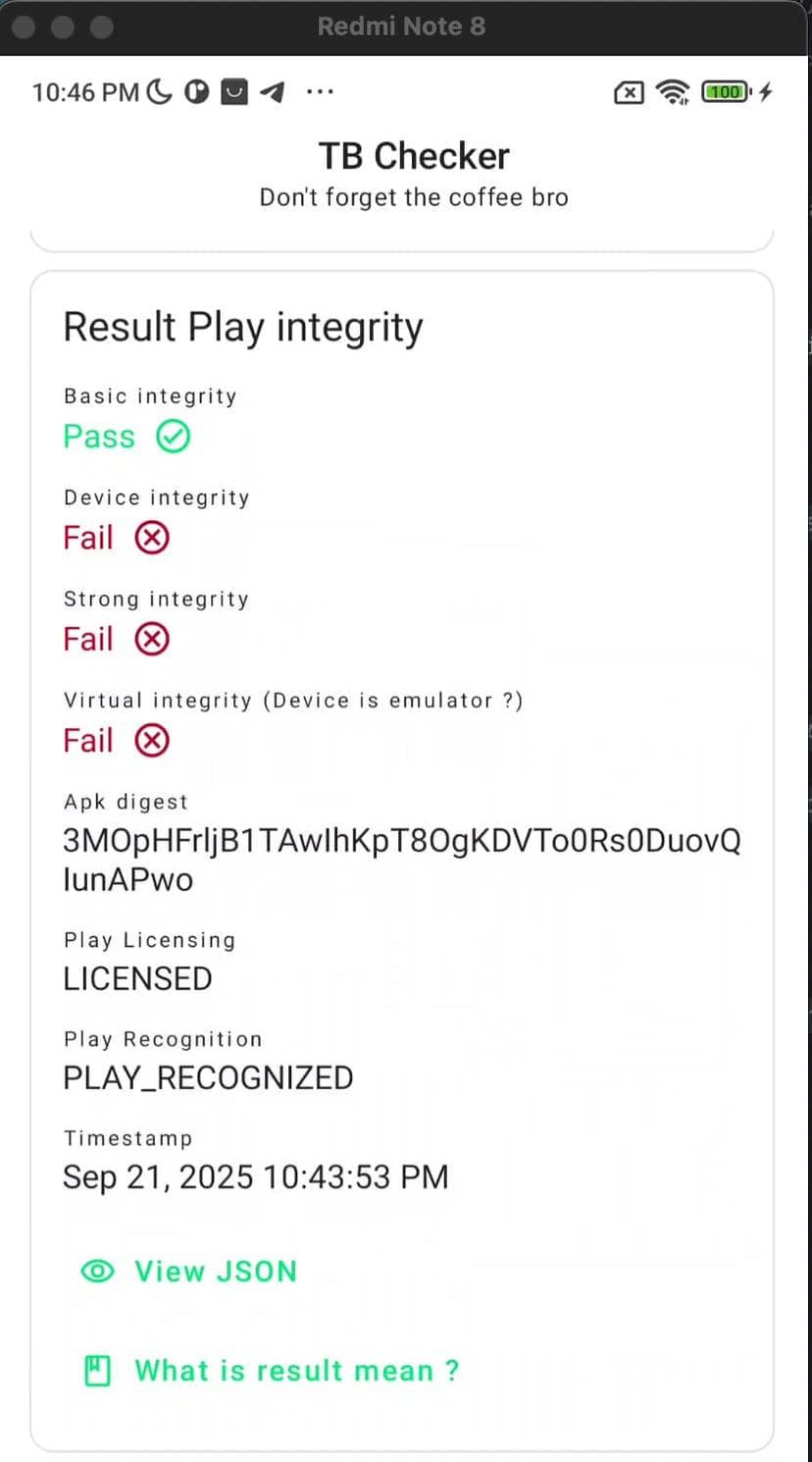
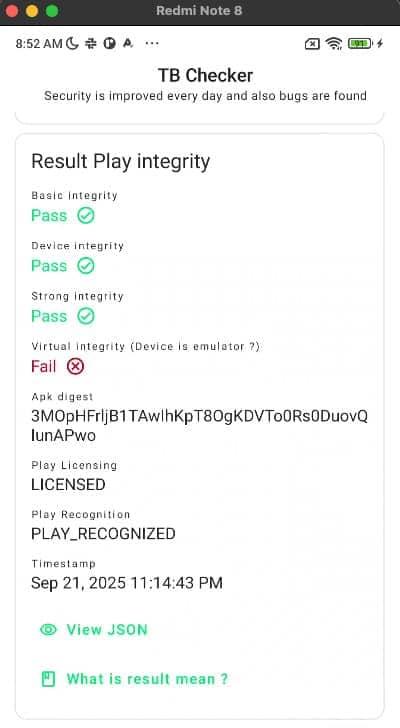
Play Integrity validation before/after bypassing it
After that, if the app being tested is still not working, we need to start our protection analysis.
Initial Static & Dynamic Analysis
The analysis begins at the interface between the Java layer and the native layer.
1- First, checking the AndroidManifest should be routine whenever we analyze Android applications. Here we can obtain information about SDKs, the use of Play Integrity, and even protections.
2- Then, check for the loading of native libraries where the protections are orchestrated; for that, you can look for the call System.loadLibrary. However, this call can be used by many third-party SDKs that use native libraries too, so it is important to filter each of them to reduce the noise.
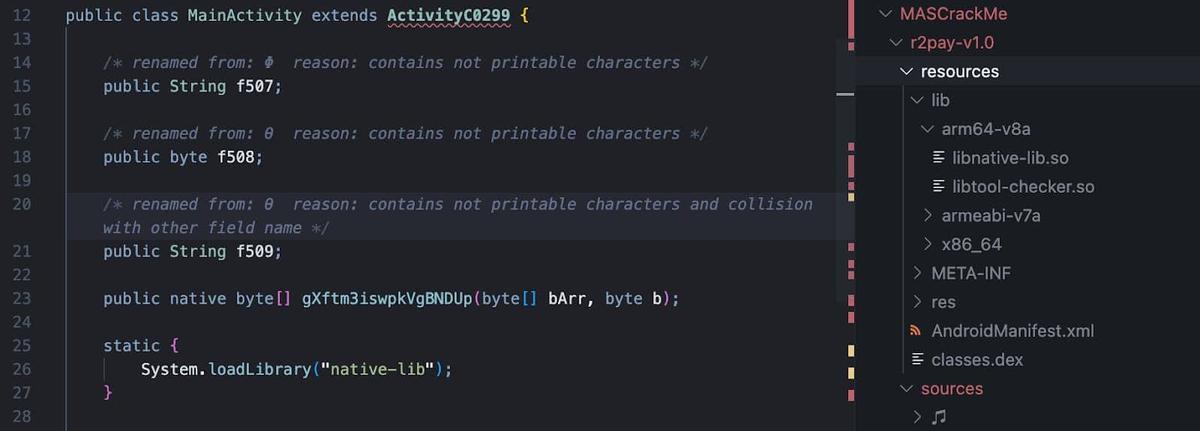
3- Also, you can check for JNI methods; these are the gateways where the Java app hands over control to the security-sensitive native code.
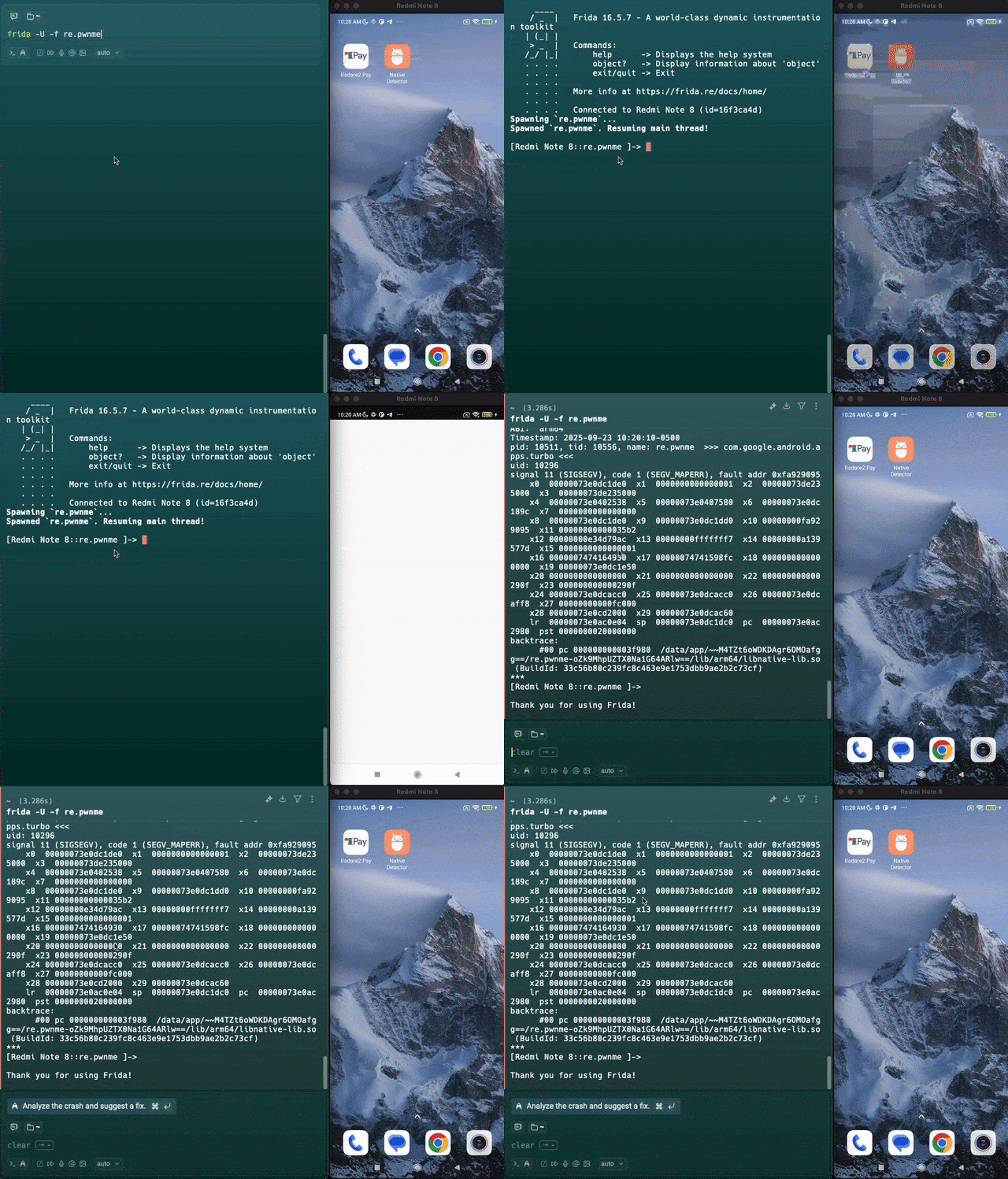
In addition, libraries and classes in charge of orchestrating the protection mechanism can be traced using Frida. Here, we’re able to hook functions in charge of stopping the processes like system.exit or process.kill. By generating a backtrace, you can identify exactly which native function ordered the application to shut down. If the application opens without this tool, this step can also reveal if the app has a Frida Detection Mechanism if the app stops working.
Reversing Native Libraries
When we find the library responsible for deploying the RASPs, we need to review its operation from within to understand how the detection mechanisms are launched. For this purpose, reverse engineering tools such as Binary Ninja, Ghidra, IDA, or Radare2 can be used.
Here, we cover a simple way to explore the Native Libraries using R2; however, any tool you want to use can work.
1- We start with the command "a", which is the base for all analysis commands. By itself (a), it acts as an alias for "aai", which displays analysis information like the number of functions found and code coverage.
2- "aa" performs a basic analysis of all symbols and entry points.
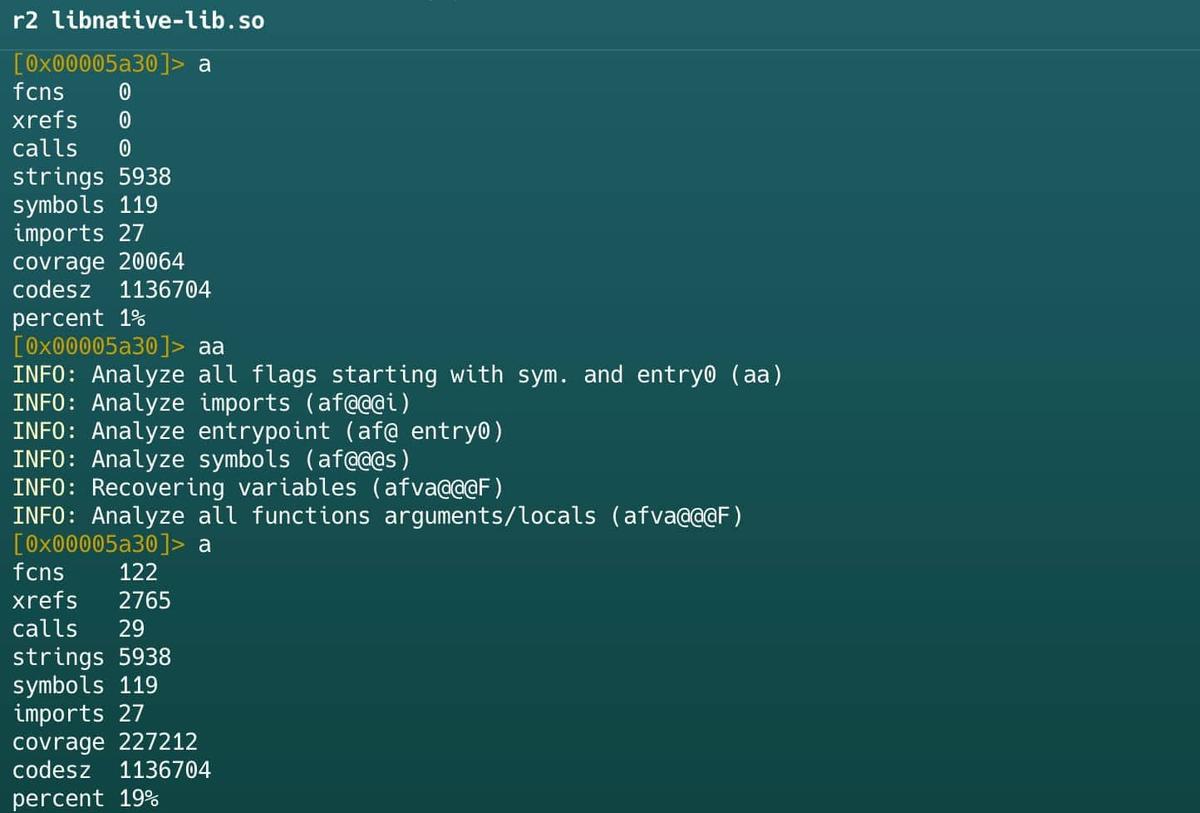
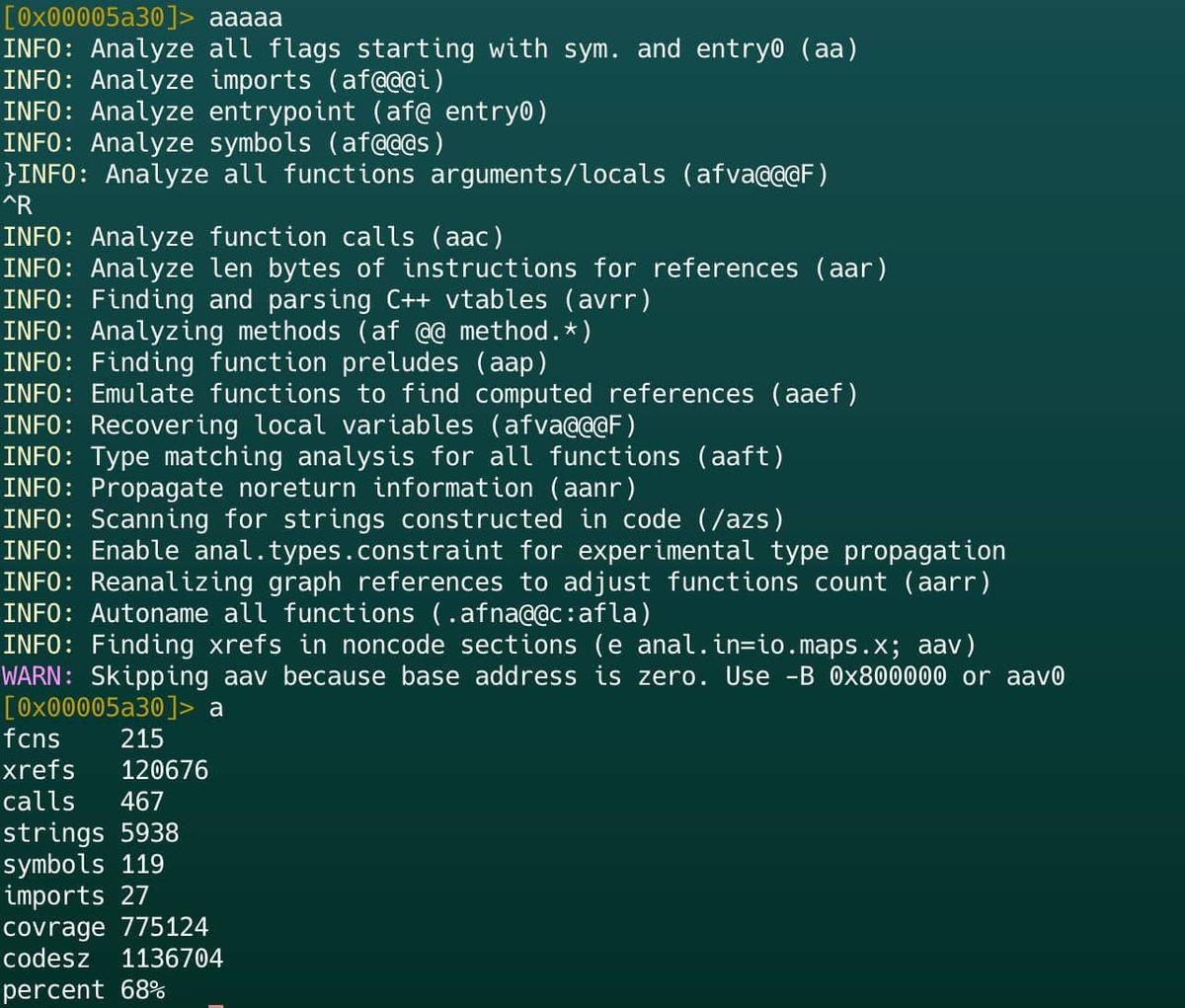
3- "aaa" includes all steps of aa plus additional tasks like analyzing function calls (aac), finding instruction references (aar), and automatically naming functions (aan).
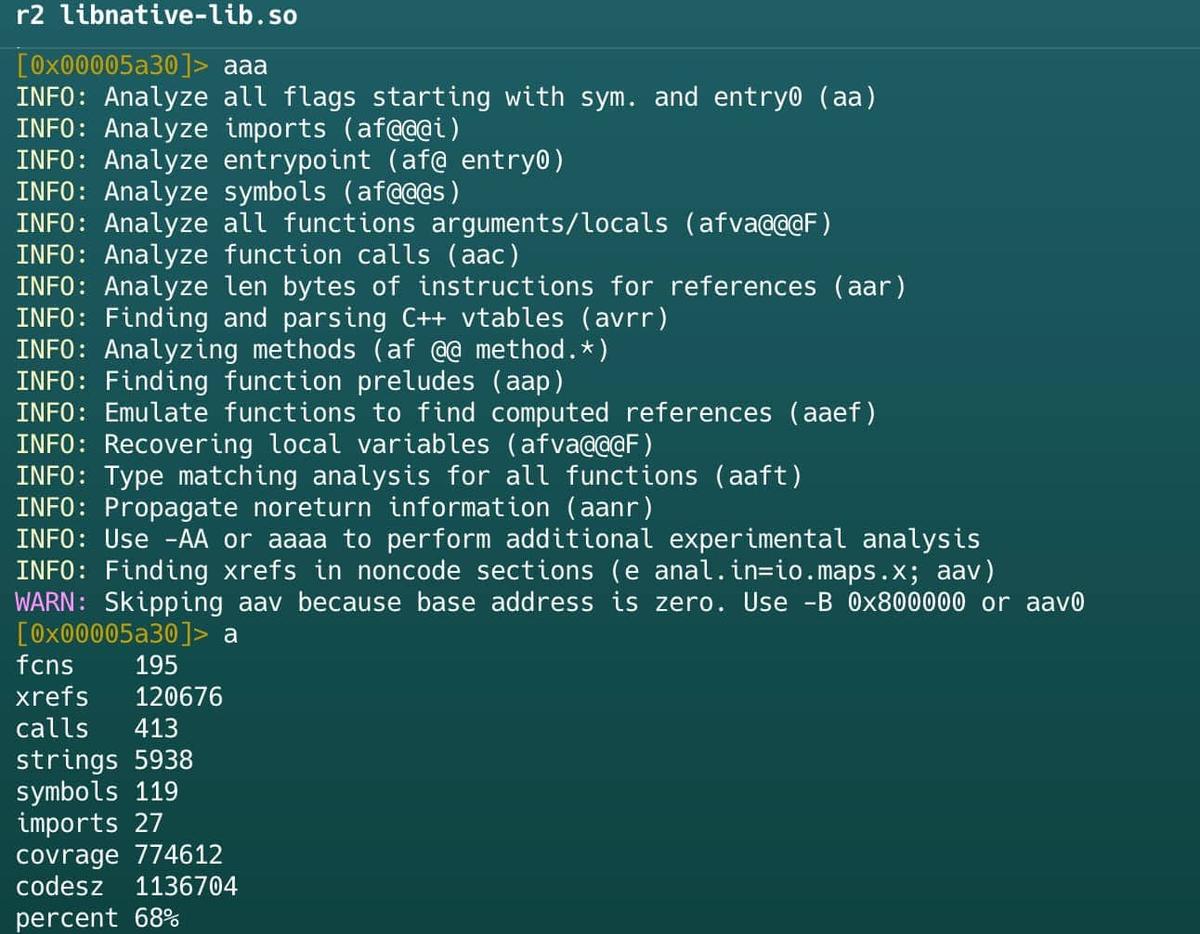
4- "aaaa" performs a full, deep analysis of every possible function, data reference, and control structure.
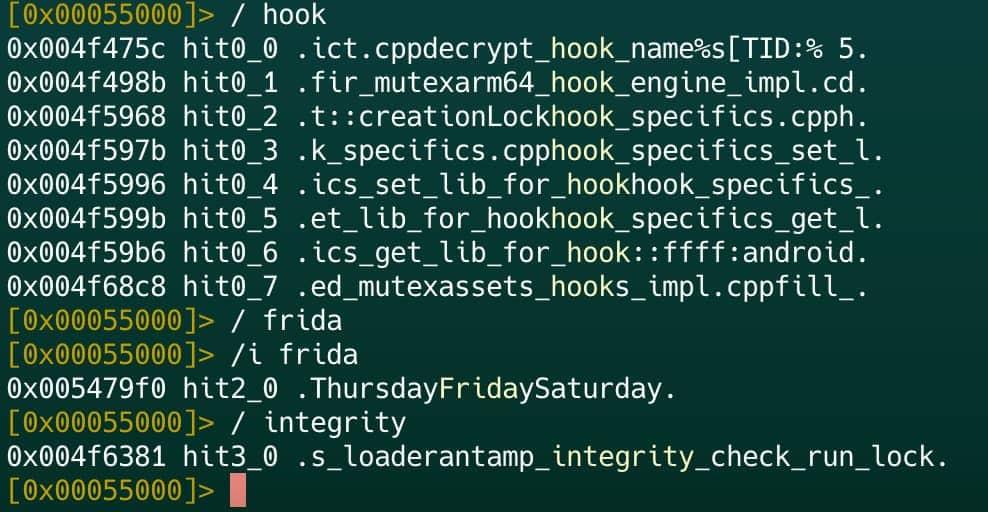
5- The "/" command initiates searches for strings, bytes, patterns, or other data across the binary. The basic usage is / foo to search for a specific string. It can be used when looking for secrets, api keys, tokens, specific methods, including involved methods in the protection deployment.
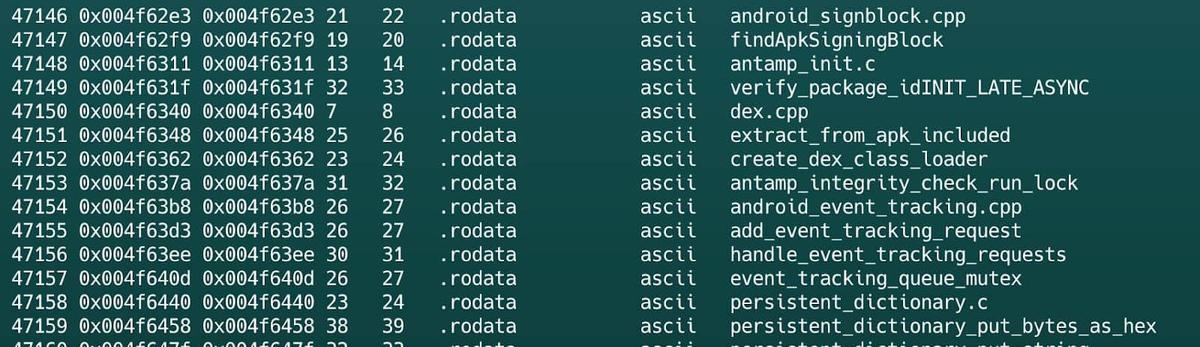
6- The izz command lists all the strings present in the binary. It can be used for the same purpose as the previous command.
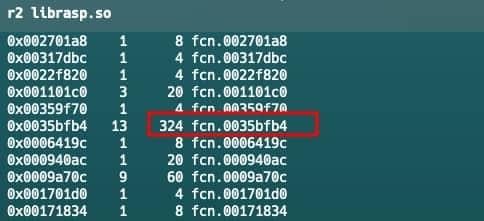
7- The "afl" command lists all detected functions (own & imported) in the analyzed binary, displaying name, address, size, and basic stats like references.
It requires prior analysis with aaa or aa to populate the function list accurately. This command is very useful to search functions related to protection mechanisms. For example, if a library has many functions with a small size, but one of these is considerably larger, it may be central to the deployment of detection methods.
Also, in cases where the library is not obfuscated, it is also possible to distinguish the operation of each function by its name.
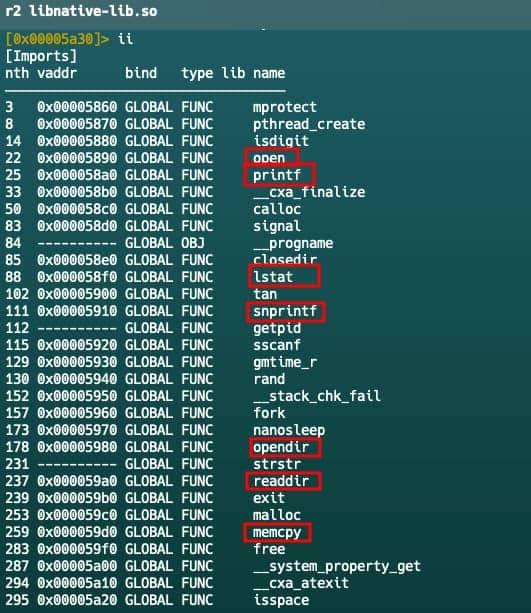
8- The "ii" command lists imported functions. Pay close attention to functions involved in file reading (open), memory operations (memcpy), or string manipulation (snprintf), as these are the tools RASP uses to scan the mobile system for signs of a threat.
Dynamic Monitoring
Static analysis does not tell us how exactly the imported libc.so functions are being used; for that, we must resort to dynamic monitoring. To monitor those functions and verify if they are implicated in the detection mechanism, we can use Frida to hook each one.
The fundamental technique consists of using Frida’s Interceptor.attach to hook into functions exported by system libraries.

When defining a hook, we can use the onEnter callback to inspect the arguments that the application sends to the function. For example, if we intercept open, we can read the path of the file that the RASP is attempting to verify using args.readCString().
Hooking Open Function
Sometimes, it is not enough to know which function was called; we need to see the result of that operation. This is where the onLeave callback comes into play.
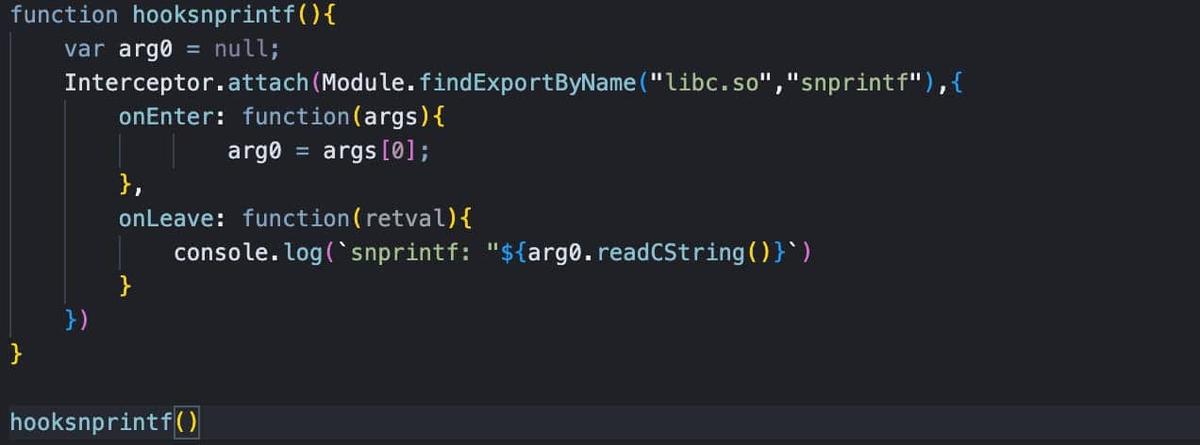
A common use case is monitoring snprintf, a function used to format text strings. RASP can use it to dynamically construct file paths or detection messages. In this case, the buffer is saved in onEnter. Then, in onLeave, once the function has finished writing to memory, we read the contents of that buffer to see the final string constructed.
Hooking onLeave Function.
To see what point you need to capture and read (onEnter or onLeave), you can look at the C function definition and check the input and output.
Process Inspection via the /proc/ Filesystem
A key strategy used by RASP solutions involves monitoring the application’s own process environment through the Linux /proc/ virtual filesystem. By reading these virtual files, the protection mechanism can identify if the app is being tampered with, hooked, or if unauthorized tools are running in its memory space.
- /proc/self/maps: It provides a map of the process’s memory, listing each loaded library and its memory address. Protections scan this file to detect the presence of injected libraries, such as frida-agent.so, or to find suspicious memory segments with execution permissions that shouldn’t be there.
- /proc/self/status: It indicates the processes (like a debugger or a tool like gdb or frida) currently tracing the application.
- /proc/self/fd: By checking the file descriptors (fd) directory, the protection can see every file or socket the application has open. This helps identify if the app is communicating with unexpected external entities or if files are being intercepted.
To verify this, you can attach Frida to the target with the -p parameter, indicating that the application will pause until you decide to resume the process. With the application paused, you can connect to the device shell and monitor the virtual files generated for its process (Many applications, even with Frida detection, allow this).
Checking /proc/ filesystem
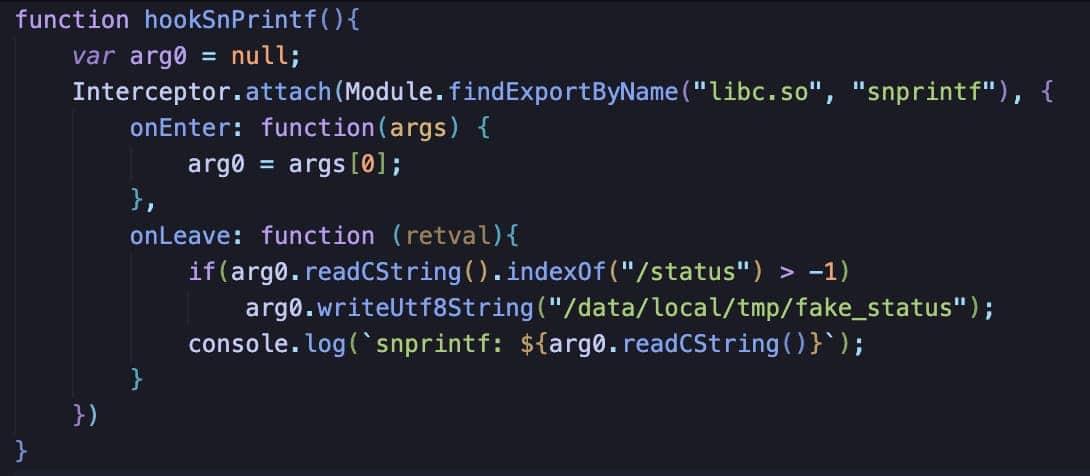
In the R2Pay example, the snprintf function is searching at the /proc/self/status for the presence of the Frida process being attached. Here, we can modify the Frida script that points to a fake state stored in the tmp folder and thus trick the app into only checking this file when it performs the check, preventing detection of the process.
Going Deeper inside Supervisor Call Instructions (SVC)
To evade conventional monitoring, protections evolved to operate at an even lower level. One of the most advanced and counterintuitive techniques we have observed is the use of direct system calls used to obfuscate the operation methods of the RASP solution.
Instead of calling a documented function such as open() or read(), the application uses the SVC (Supervisor Call) instruction to directly invoke a Linux kernel syscall. However, we can observe these calls using Radare2 directly or through Frida scripts.
- The command /ad svc can be used to show SVC 0 calls. However, this command does not show which call is being called.
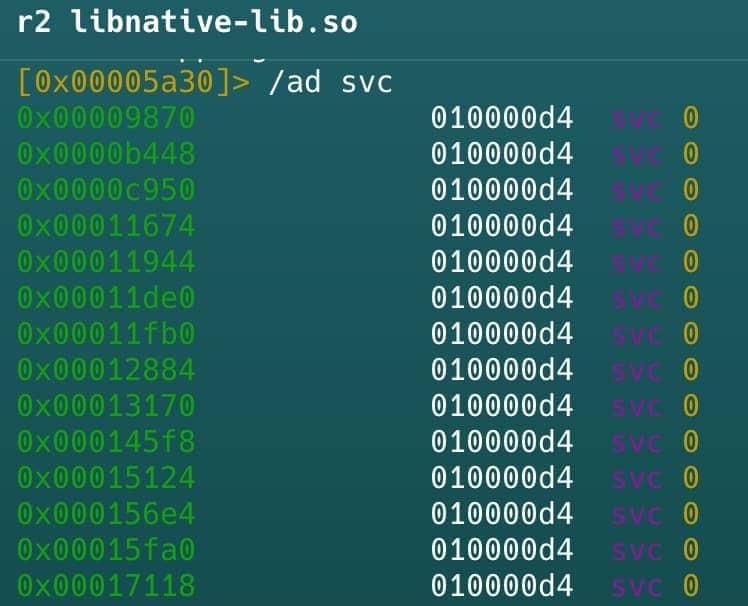
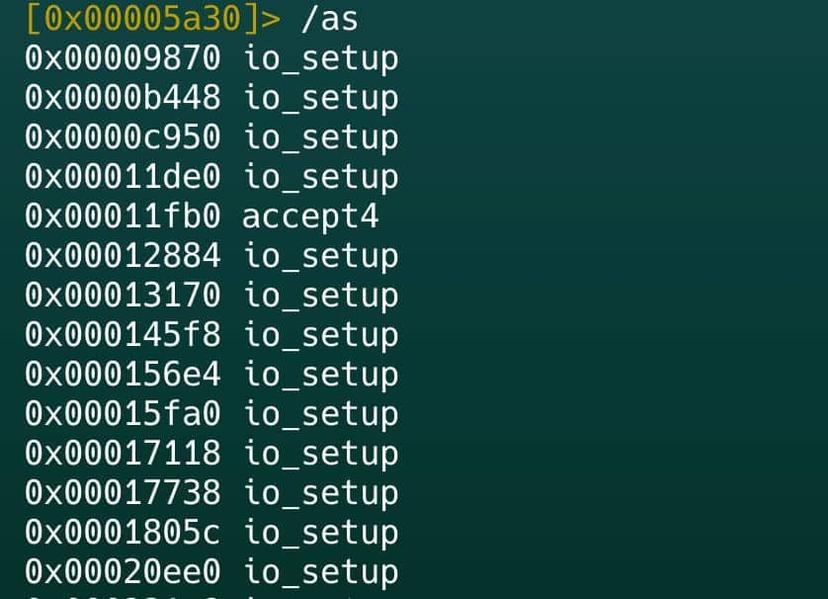
- To solve this problem, three options are available. First, radare2 can be used directly by going to the address obtained from the previous command. Second, this tool has the option to choose the Linux operating system as standard and see which calls are being made using the command /as.
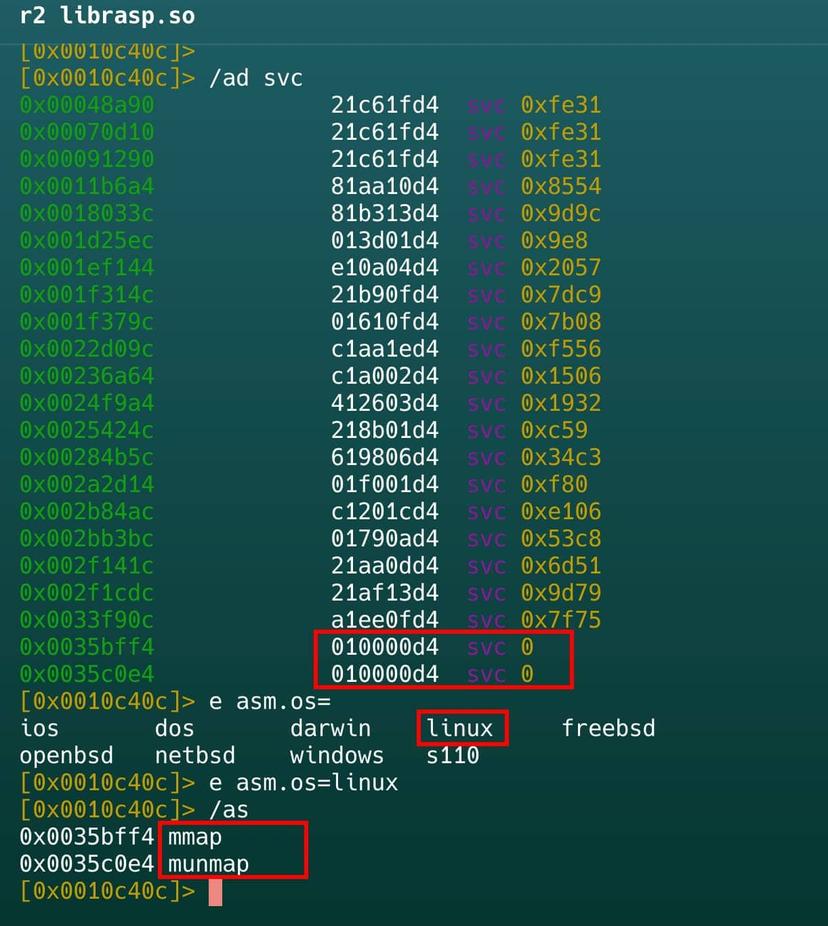
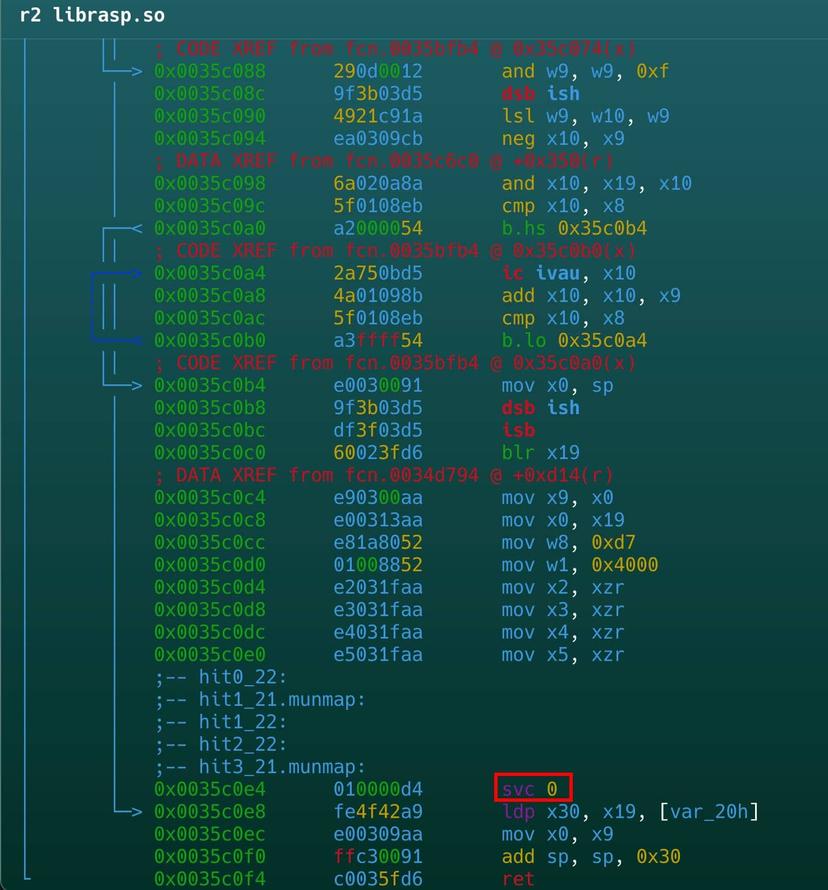
In this example, mmap allows protection to dynamically allocate memory for its own integrity checks or to load security components in isolation. Similarly, munmap is used to free up those memory segments once the security check has been completed, attempting to leave no obvious traces of monitoring activity in the memory map.
Interestingly, these calls are being made by the larger function detected in the library librasp.so before.
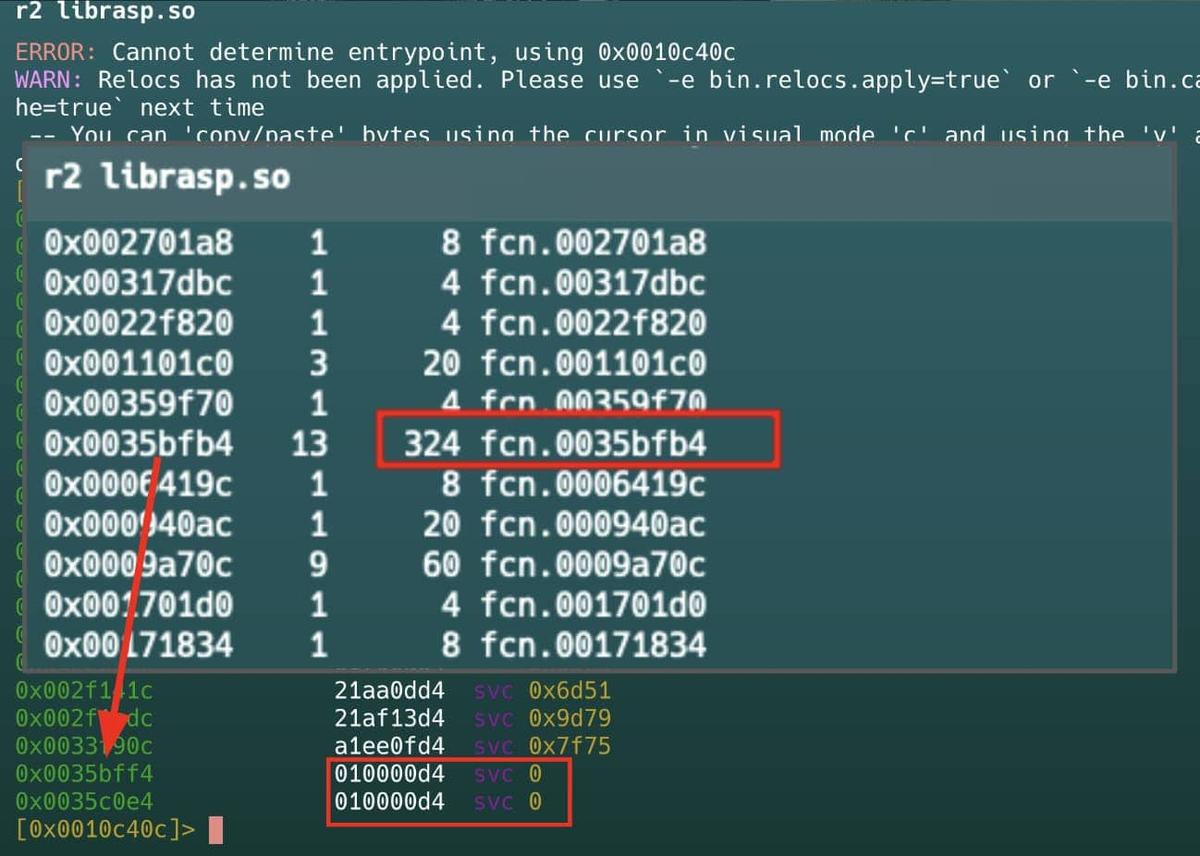
Let’s look inside this function. Located in librasp.so and called from JNI_OnLoad, the first fragment reserves anonymous executable memory using mmap (syscall svc 0). It prepares 16KB (0x4000) with read, write, and execute permissions. After the call, it verifies the result and handles errors.
In RASP, this memory is often used to load protected code, anti-tampering routines, and anti-debugging checks that run at runtime, making static analysis and manipulation of the application difficult.
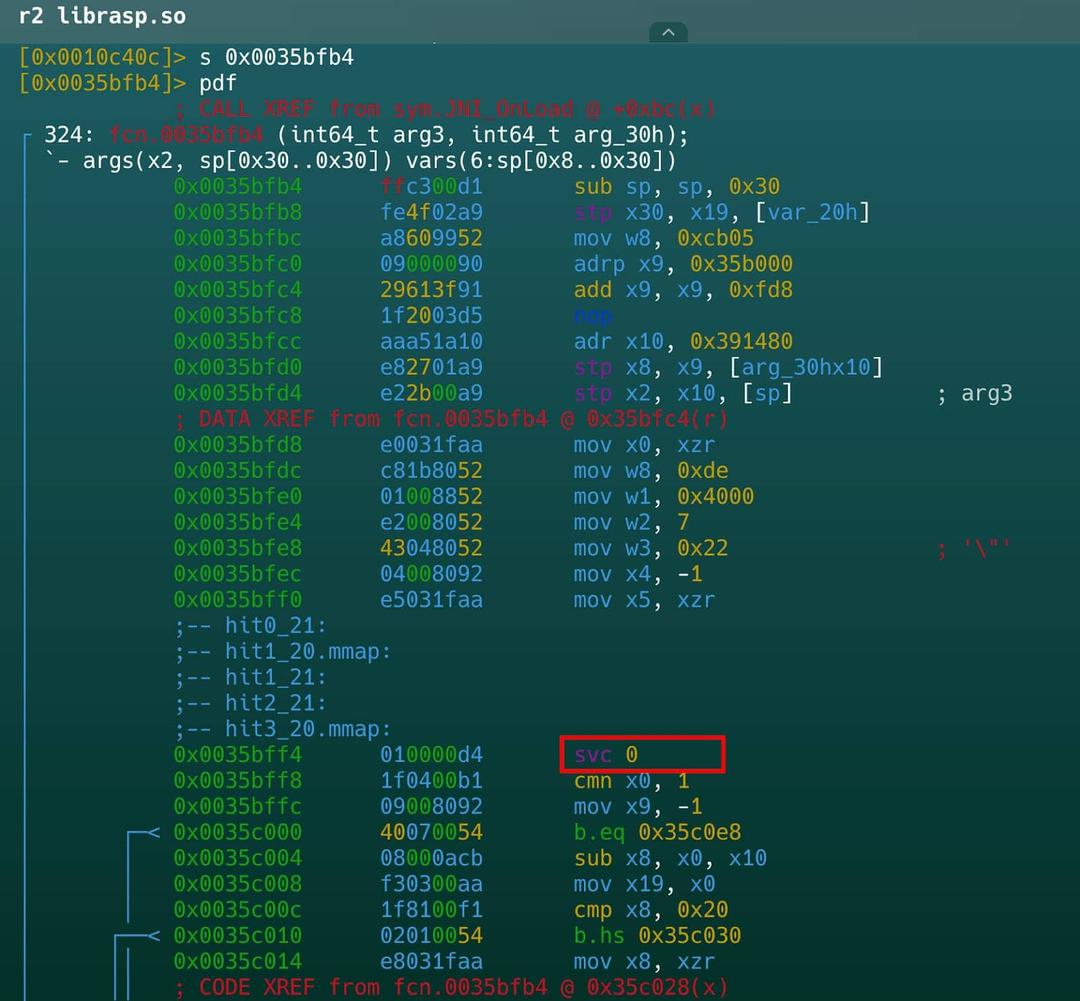
In the second fragment, the result of mmap and cleanup is handled. After svc 0, it checks the return value: it applies a mask (and w9, w9, 0xf) and compares to detect errors (b.hs). If there is an error, it jumps to error handling; if not, it continues. Then it prepares arguments for munmap (mov x0, sp), possibly to free memory in case of failure or as part of cleanup. Finally, it restores the saved registers (ldp x30, x19), adjusts the stack (add sp, sp, 0x30), and returns (ret).
- Sometimes the /as command does not work for our analysis, as in the r2pay example, where io_setup acts as a generic wrapper. All syscalls pass through this point, but the actual number is calculated at runtime, making static analysis difficult.
Here, Frida is the tool that will allow us to identify which call is being made.
Using Frida to obtain SVC 0 call identifiers
As we can see, the functions being called are not directly listed. Using the ID obtained, we can enumerate them using the asl r2 command.
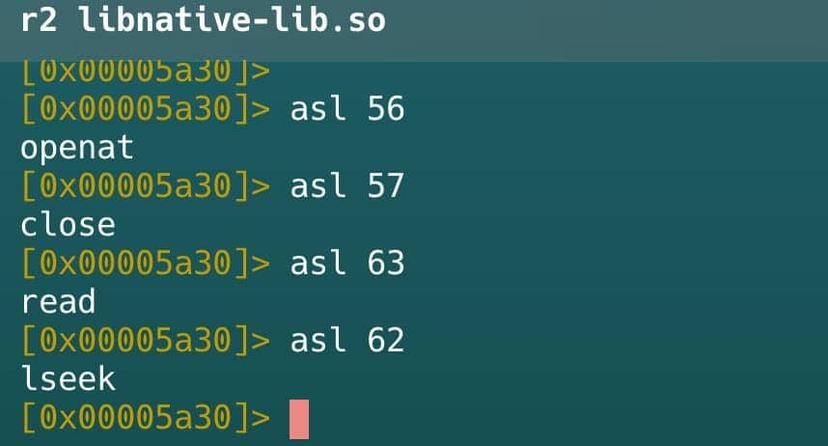
With this in mind, a frida script can be used to obtain the values used by the system functions, for example, openat.
Using Frida to obtain the values used by openat
Useful Tools & Techniques
In this section, we will mention some tools that, although not discussed in depth, are really useful for exploring, understanding, and evading protections.
Frida Stalker
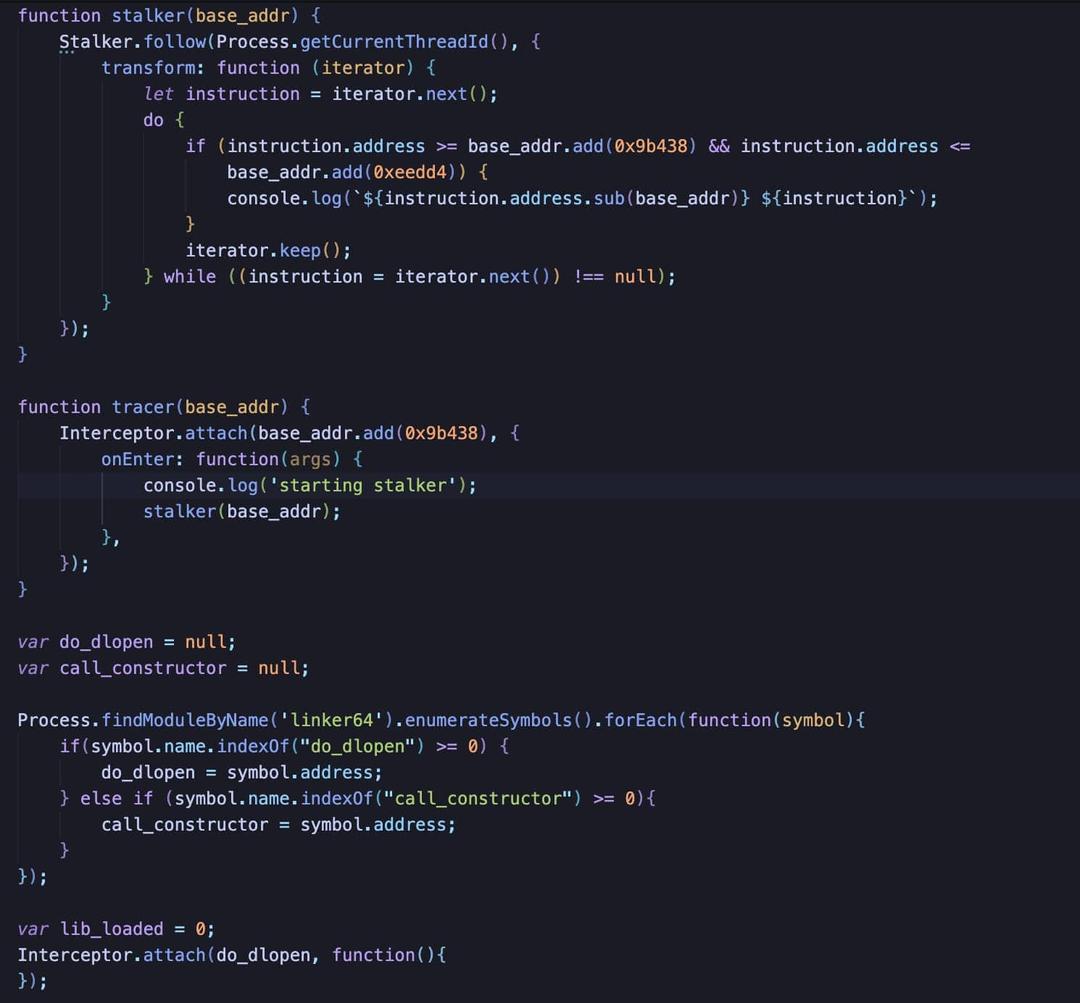
This is a powerful instruction-level tracer that allows researchers to follow the execution flow of a thread step-by-step. It is particularly useful for observing how a native library behaves instruction by instruction, which can help pinpoint the exact moment a security check is triggered.
Using Frida Stalker on R2Pay
It is important to note that this API will trace all the instructions being called. To avoid cluttering the output with noise, we can print only ranges of addresses where the functions of interest are located.
QBDI (QuarkslaB Dynamic binary Instrumentation)
QBDI is a modular, cross-platform DBI framework designed to support architectures like ARM and AArch64. Unlike traditional debuggers that can be slow and easily detected, QBDI works by injecting instrumentation code directly inside the binary at runtime. It offers:
-
Easy-to-use C/C++ APIs for deep integration.
-
Full-featured Frida bindings, allowing you to combine the power of Frida with the precision of DBI.
-
Flexible Python bindings (pyQBDI) for researchers who prefer a more agile scripting environment.
For more information, you can visit the official website here.
Kernel Customization
For those looking to operate beneath the radar of most RASP solutions, customizing the Android kernel is an advanced but effective route. Operating at the kernel level allows for the creation of drivers or modifications that are inherently more stealthy than userland-based modifications.
Conclusions
The landscape of Android security has shifted, and analyzing modern RASP solutions requires a move away from “legacy” mindsets. Here are the key takeaways from our exploration:
-
The end of simple Smali edits: In the current era, it is NOT enough to rely on publicly available scripts or static modifications of smali code. Protections have moved to a much more complex, native level.
-
The power of the Initial Setup: Underestimating your environment is a mistake. Having a good Initial Setup (like using Kernel-based solutions like KernelSU or Apatch) can save you hours of work by bypassing the most superficial detection layers automatically.
-
Fundamental Tooling: Frida and Radare2 remain the cornerstones for any serious analysis of mobile applications and their protections. Their ability to peel back layers of obfuscation and monitor system-level interactions is indispensable.
-
No RASP is bulletproof: It is vital to remember that every client-side protection can be evaded, and this includes the most sophisticated RASP solutions. Because of this, developers should not rely solely on these mechanisms to protect their applications.
-
Security by Design: The ultimate goal should always be to prioritize the writing of secure code and implementing robust logic that does not depend entirely on “black box” security libraries
If this post was useful for you, share it! Don’t forget to follow us!
Just Mobile Security Team
Try Tungstenic: Next-level mobile application vulnerability protection.
Contact Us
If you need to analyze your application contact us here:
sales@justmobilesec.com | Sales
Any other doubts or questions, don’t hesitate to write to us!
info@justmobilesec.com | Contact
Work with us!