Android Mobile Game Hacking (Part 1)
- Published on
Post Date
- Authors

- Name
- Alejandro Monsalve Florez
- X
- @alejo
TL;DR#1: This is the first part of our series on Android Game Hacking. We will cover lab environments for rooted Android systems (on a Pixel 7a, for instance), real-time memory manipulation using GameGuardian, and also the role of the JIT and AOT architecture of Unity in modern mobile games.
TL;DR#2: If you're looking to understand techniques for manipulating game values via memory analysis, this post will help you establish a sound foundation to build upon. In the second part of this topic, we'll dive into the world of Frida and Ghidra to demonstrate effective cheat development.

What is Android Game Hacking?
Let's try to comprehend this from the deep basis, going step by step on this journey. As I said, first things first, and this means how to prepare our laboratory, since, this is not a guide and I suppose that you have the device rooted; If that is not the case, well, I'm going to give you some recommended tools to do this and you can feel free to follow the steps in our post: Magisk For Mobile Pentesting: Rooting Android Devices And Building Custom Modules (Part I)
In this post, we are going to cover the following topics:
- Initial Setup
- Rooting tools
- Memory Scanner tools
- Reversing tools
- How does Memory work on Android?
- GameGuardian GG
- AOT vs JIT
- IL2CPPDumper
- Conclusion

Initial Setup
First, before we start on this area, we need to have a rooted device, due to the facilities for reversing, interaction, and obviously having a freer way to explore the game we are targeting. For this purpose, we can use the rooting tool of our preference. I recommend the following tools for rooting. In our case, we will be using a physical device, for instance, a Google Pixel 7.
Another thing that we need to keep in mind is that we need tools like Ghidra, Binary Ninja, IDA Pro, Radare2, or your tool of preference for reverse engineering. Additionally, it is indispensable to have instruments for memory scanning and modification, for instance, Frida and GameGuardian.

How does Memory work on Android?
We're going to explain this as simply as possible. Each Android application launches its own process, and that process receives a dedicated virtual memory space along with a unique user ID. This prevents other processes or users from accessing its memory region - in other words, this is how Android's sandbox behavior works.

It is important to have this in mind to comprehend why we need our device rooted for further analysis.

As shown in the reference image above, we can observe that each game has its own user isolating their own process from other processes, applications, or users to access their data, but this is not a problem for us since we have our device previously rooted.
GameGuardian GG
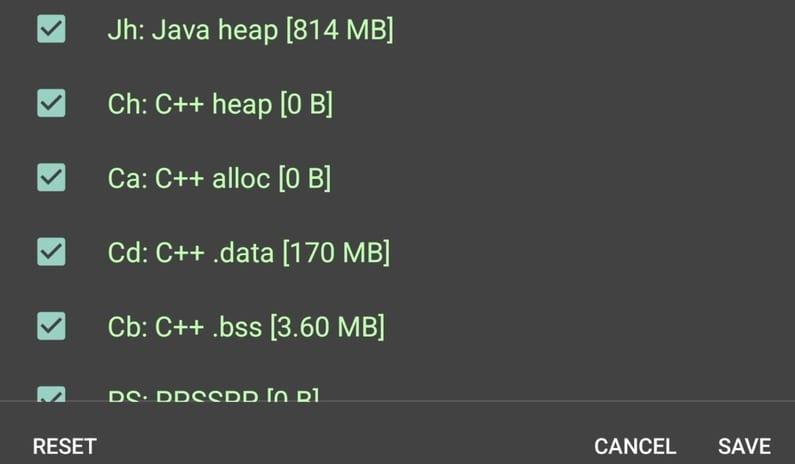
GameGuardian is an application that brings us the capability to extract information from the memory. We can use it to find values in the game's memory, but we have to bear in mind that those values can be in different memory locations, so it is important to configure properly how to search for those values and which kind of memory locations use.
For instance, we can select with a toggle button some of them such as the following:
But first things first, and it all starts with how can we install GameGuardian? Well, that is not so difficult since we can just download the apk from the official website. Bear in mind that in newer versions of Android OS it won't work properly so we need to change something in the installation process (in my case i did this):
- Download apk from: https://gameguardian.net/download
- Install the application using ADB with the following commands:
adb install –bypass-low-target-sdk-block <gameguardian APK>.
# install and pull the generated apk after installation of the game guardian apk.
# use again the
adb install –bypass-low-target-sdk-block
# with the generated apk from gameguardian.
This process can be followed in the official game guardian blog.
-Additionally we can use GameGuardian for both x64 and x86 arch games-
If we did all without any problem we should see this at the GameGuardian Apk Start:
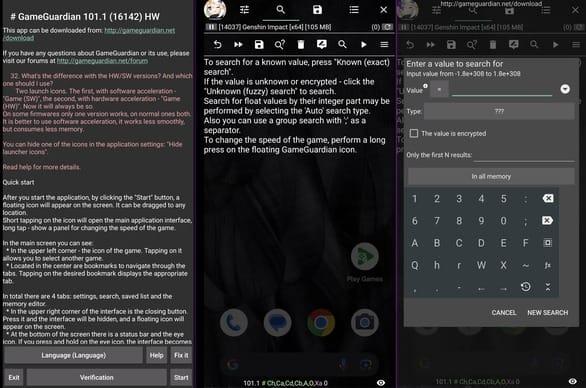
The majority of the games use the Anonymous, Java and C++ memory ranges. For optimization we can avoid scanning in Other, Bad, Xa, and Xs ranges since those memory ranges have a lot of data in and will increment the time scanning.
After choosing the most common memory ranges, we can attach our GameGuardian to a game running in the same device and start fuzzing and searching for values of interest. Another important thing to consider is that we can search for different data types, like the following ones:
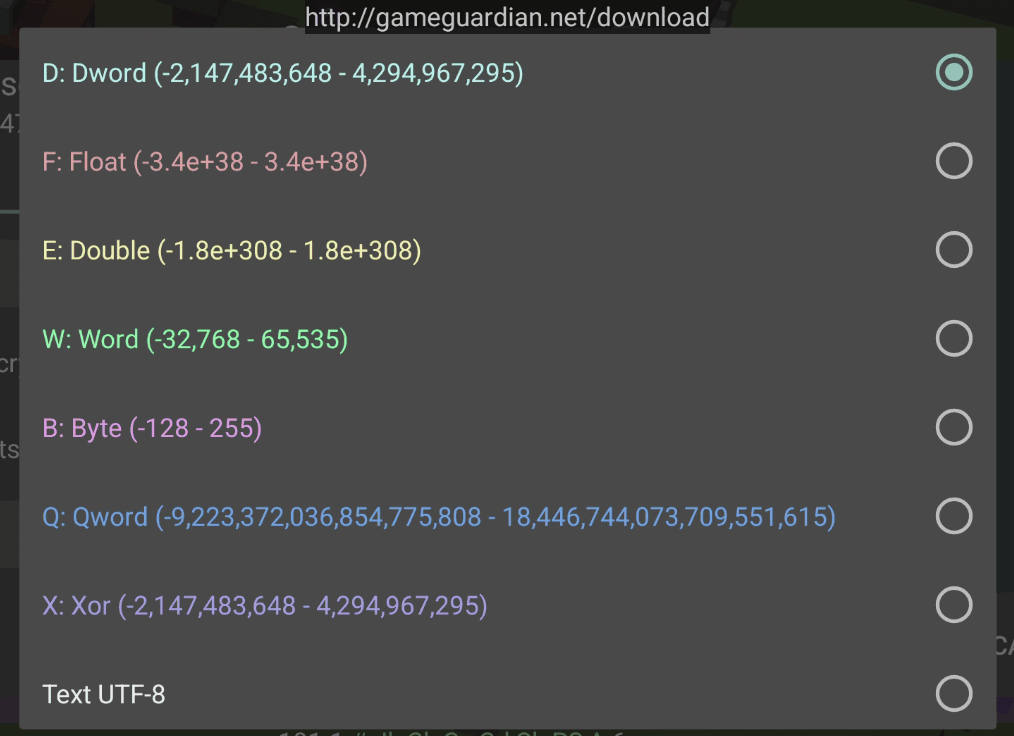
It's important to comprehend when a game developer or a game will use some of the specified values. If we understand how the game works, for example a game with cartesian coordinates, we can get some ideas from this, as the coordinate systems in games frequently use Float numbers. Therefore in this case we can search for Float values.
But what if we are trying to retrieve data like AMMO from a Shooter game? It won't be a float or double, the more probable data type is a Dword (INT32 bit sized ). After defining our target value (life, mana, ammo, points, positions and so on…) we can start to fuzz.
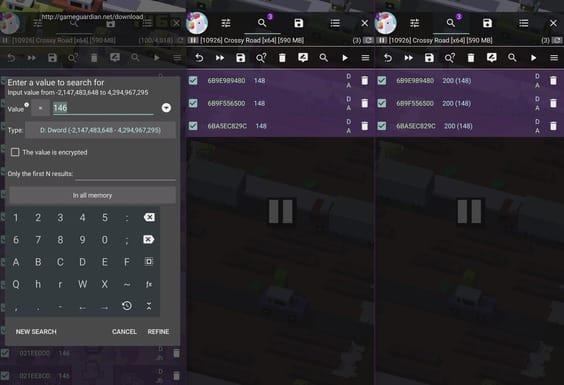
In this case, for simplicity reasons, I'll show the process in a very fun and addictive game called CrossyRoad.
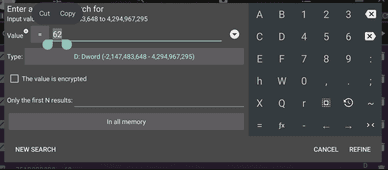
We are trying to search the score, so start fuzzing known values until we retrieve addresses as few as possible. The first time (depending on the game) this can take a while, that's why we reduce our searching in some specific memory ranges, and possibly many addresses will be retrieved; it could be from hundred to million.
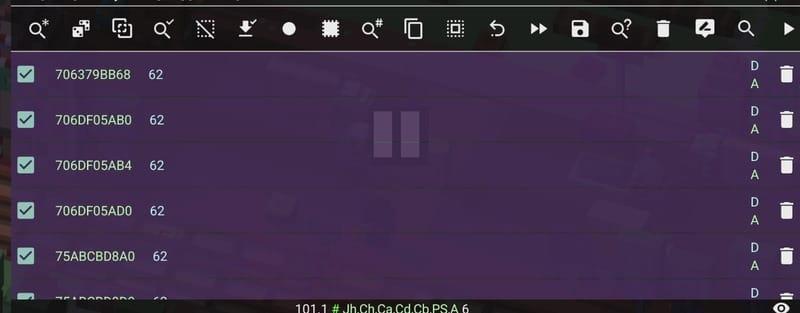
After identifying the memory addresses, it is as simple as using edit from the GameGuardian tool to change all those values. For example, we changed the score and selected a number of our choosing:
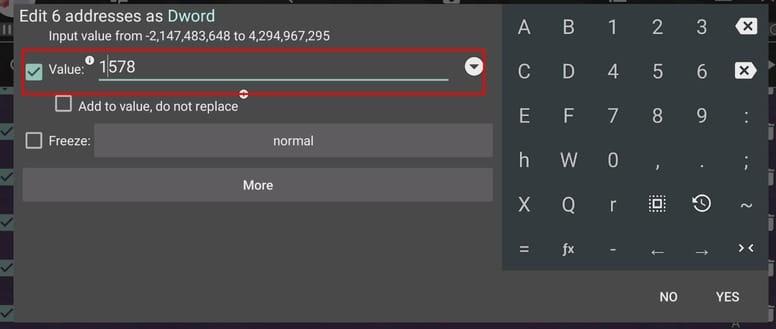
After editing the values, just play and see the change in action.

In this video we can see the process of modifying the score.
Video 1: Score Modification with GameGuardian
AOT vs JIT
An important step in Mobile Game Hacking is understanding the concepts of and differences between AOT and JIT. So let's continue with those subjects in this next part.
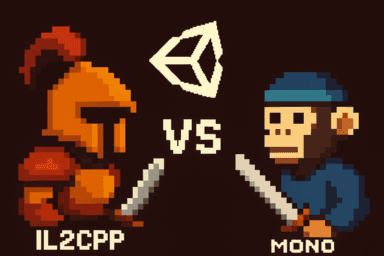
AOT (Ahead-of-Time Compilation) allows the creation of a binary whose language has already been processed into machine language.
JIT (Just-in-Time) generates binaries that are compiled into machine language at runtime as other resources are consumed.
Both are types of back-end script compilation used in Unity.
It is important to understand this concept to start reversing the game, in this case we are going to use IL2CPP Dumper due to the application compiling type. After retrieving the Libraries we identified the Libil2cpp.so inside the project.
Tools like Jadx or Apktool aren't enough since the compilation used in the game engine doesn't generate code that can be easily read. For instance, decompiling a native Java Android game is significantly different from decompiling a Unity il2cpp or mono game. This is why we need to utilize different tools and methods to go deeper and get a full picture of the game logic.
IL2CPPDumper
Using Il2CppDumper we can extract information about the game's code but not all the logic and implementation.
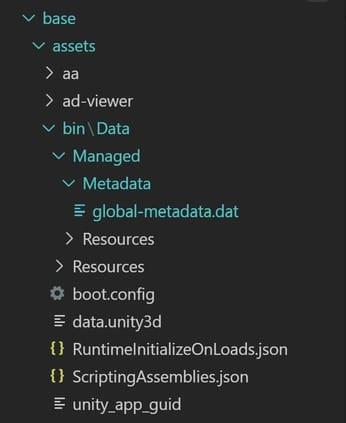
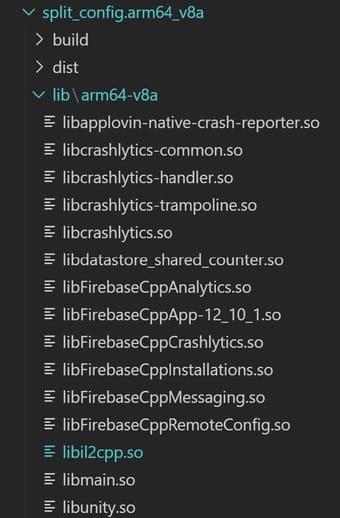
To retrieve the information we need 2 files:
- global-metadata.dat
- libil2cpp.so
The global-metadata.dat is a file that has the metadata of the il2cpp compiled game, it contains information about methods, data types, classes, and many valuable information and in some cases this can be encrypted increasing the difficulty to retrieve the data.
On the other hand, the libil2cpp.so is the shared object or library that has the logic of the compiled game.
Using the tool Il2CppDumper we can retrieve the necessary information to start writing our script.
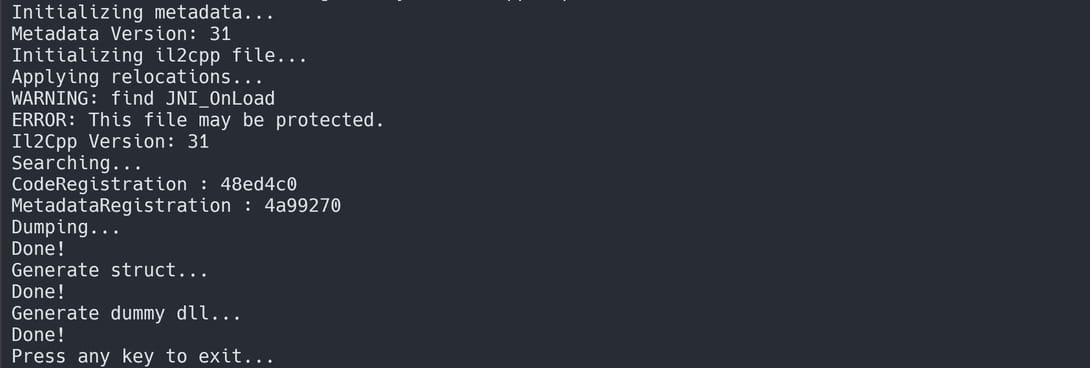
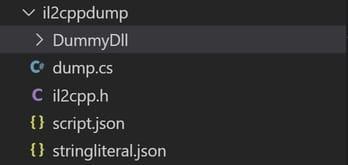
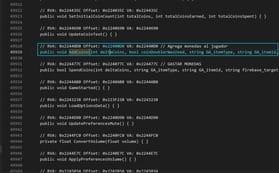
In this case we identified the AddCoins method located in the Offset 0x22400D0. It means that in exactly that region, we can invoke the method and play with all the arguments in the function to change our money in the game all the time our character takes a coin.
Conclusion
In this first part, we have established the foundation of Android Game Hacking, from the initial setting of a controlled environment to the application of the concept of memory manipulation in real-time using GameGuardian. We've also discussed the way Unity works using AOT and IL2CPP, from the perspective of how the compilation of the code in the game impacts the manipulation of the game logic.
However, while memory scanning represents a very useful entry point, it often represents only the tip of the iceberg. If we would like to generate truly sophisticated exploits, we need to look deeper into the binaries.
Get ready for Part II, where we'll focus more on dynamic analysis with tools like Frida and Ghidra!
Just Mobile Security Team
Try Tungstenic: Next-level mobile application vulnerability protection.
Contact Us
If you need to analyze your application contact us here:
sales@justmobilesec.com | Sales
Any other doubts or questions, don’t hesitate to write to us!
info@justmobilesec.com | Contact
Work with us!