Practical Mobile Traffic Interception
- Published on
Post Date
- Authors

- Name
- Juan Martinez Blanco
- X
- @juan-martinez-blanco

TL;DR#1: The post will discuss a step-by-step guide of how mobile web traffic can be intercepted on current android and ios applications (covering why the typical CA+proxy method doesn't work on Flutter apps and proxy CA certificate installation in Android versions up to 15) and also provide insight on how visibility can be restored via runtime instrumentation.
TL;DR#2: This post will cover some real world examples for intercepting mobile traffic utilizing tools such as Frida, frida4burp, SSL KillSwitch, Objection, etc. and show how you may use socket redirection and TLS bypass in your everyday penetration testing engagements.
Index
- Android, Flutter and iOS from Real Pentesting Scenarios
- The classic interception flow
- Installing the Burp CA on Android
- When SSL pinning blocks traffic on Android
- Flutter ignores the system proxy
- Intercepting Flutter traffic with frida4burp (Android)
- Combining frida4burp and SSL pinning bypass
- Intercepting traffic on iOS
- SSL Pinning bypass with SSL KillSwitch
- Runtime SSL pinning bypass with Objection
- Flutter on iOS
- Redirecting Flutter iOS traffic with frida4burp
- Final thoughts
Android, Flutter and iOS from Real Pentesting Scenarios
Mobile Application Security Assessments would generally include capturing a mobile application’s network traffic as one of the primary methods to see directly how your mobile application communicates with its back-end services, how it authenticates users and how it implements business logic.
For years, intercepting an application’s network traffic followed a relatively well understood model. A Proxy Certificate was installed on the mobile device, a System Proxy was configured, and you could start seeing traffic appear in a proxy like ZAP, mitmproxy, httptookit or Burp, in this post we will focus on the usage of Burpsuite Proxy because of its widespread adoption.
Although this method is still valid in many situations, newer mobile applications have been written so that they are difficult to intercept using the older methods (from Android 11+, Flutter applications, etc.) and have implemented new models of SSL Pinning which also make these old methods no longer work.
This article will discuss why Classic Interception does not work for newer applications and what tools you can use to capture the traffic from these applications, including the same command-line options and methodologies used during actual penetration testing engagements.
The classic interception flow
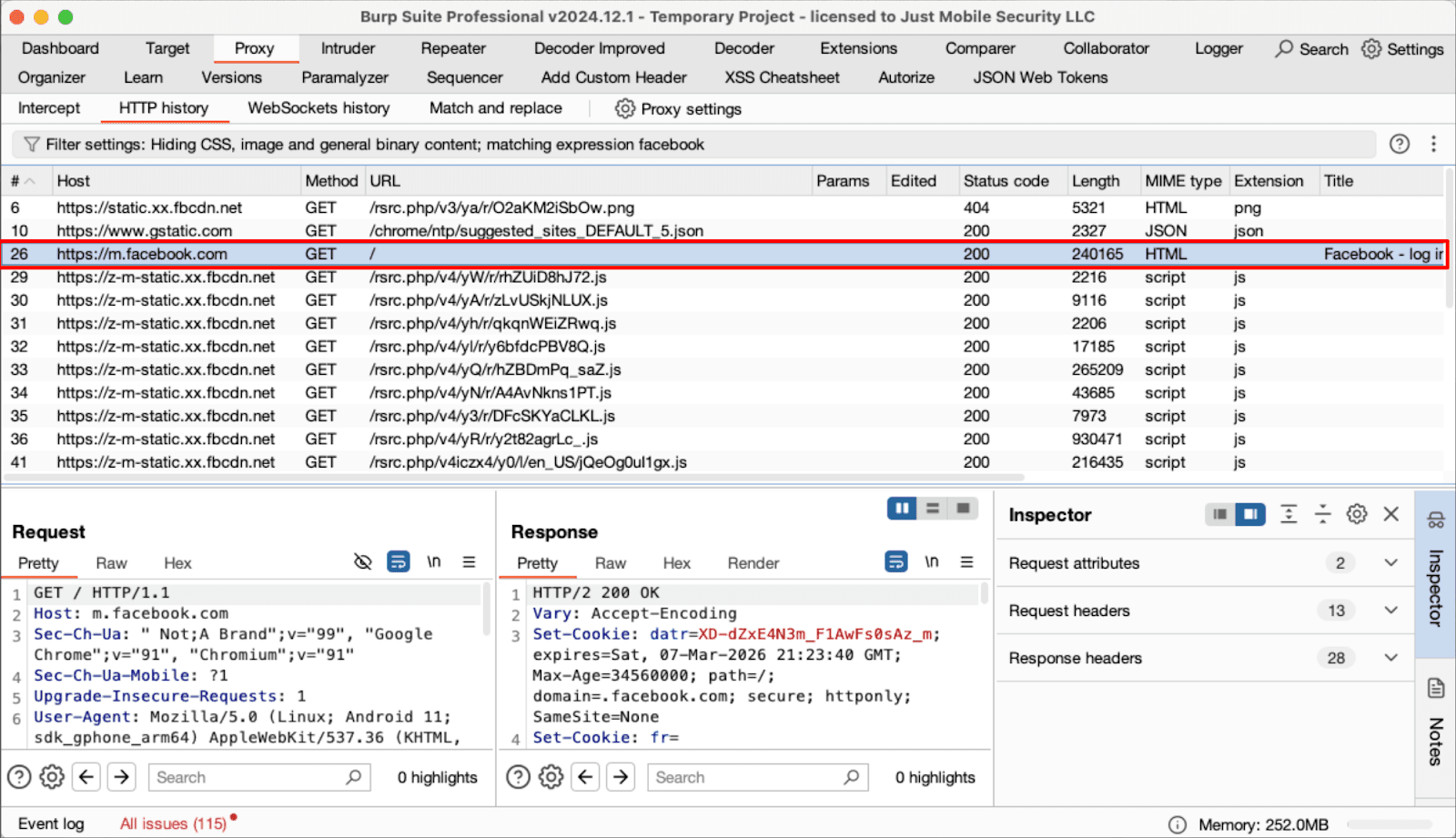
The base case is also unchanged, there is a proxy configured on the test device, the Burp CA certificate is loaded onto the device, and connectivity to the web server is confirmed by using the mobile web browser.
Older mobile applications typically display traffic in the Burp proxy almost immediately, while traffic from modern applications does not appear.
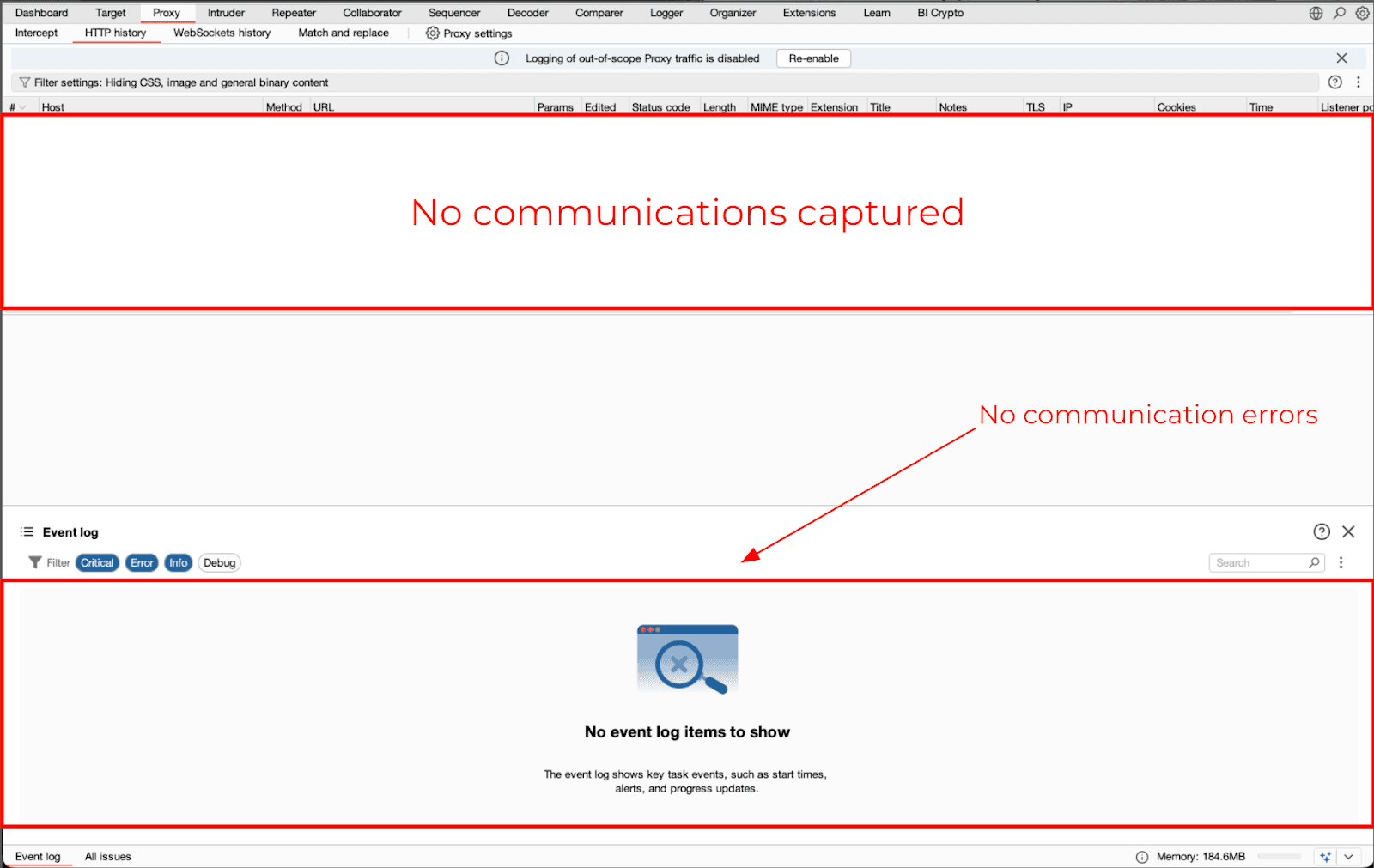
That lack of traffic does not automatically mean that the application has implemented SSL Pinning; it simply means that there is no routing of that traffic through the system proxy.
Installing the Burp CA on Android
Before attempting to bypass a mobile app’s SSL pinning or framework specific behavior (e.g., SSLTrustManagers in OkHttp), you need to configure your Android OS to trust the Burp CA. Although some versions of Android have similar steps to add the Burp CA to an OS’s “trusted certificates” list, the actual steps can vary greatly between each Android version.
Android 11
On Android v11, system partitions can be mounted at runtime as long as the device is rooted. Therefore, the Burp CA can be added to the System Trust Store, which will allow all apps that are configured to rely upon this store to accept the Burp CA without having to create their own custom implementation of SSLTrustManagers.
First, convert the Burp CA from its DER format to PEM format, rename it to include the legacy subject hash, then move it to the system certificate directory:
# Commands executed on the PC
$openssl x509 -inform DER -in cacert.der -out cacert.pem
$openssl x509 -inform PEM -subject_hash_old -in cacert.pem | head -1
$mv cacert.pem <hash>.0
# Table 2: Commands executed on the device via ADB
$adb root
$adb remount
$adb push <hash>.0 /system/etc/security/cacerts/
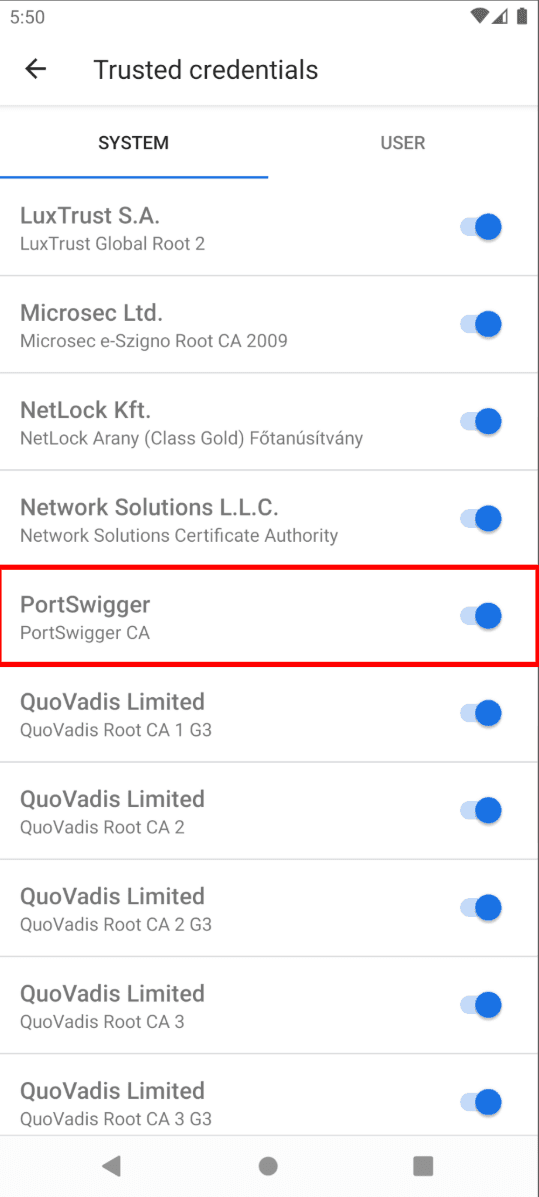
$adb shell chmod 644 /system/etc/security/cacerts/<hash>.0After installing the Burp CA, it should appear in the list of Trusted Credentials within the Android Settings menu and will be automatically accepted when used by applications relying on the system certificate store.
Android 13
From Android 13 and on, it will no longer be possible to remount the system partition at runtime, and many apps are designed to ignore user-added certificates.
Here is an example of how to obtain trust of user added certificates via the Magisk and the Allways Trust User Certificates module by Jerome Beckers that adds all installed user added certificates to the system certificate store, by using Magisk.
Video 1: Installing Burp CA Certificate As System With Magisk Module — Allways Trust User Certificates (Android 12)
Android 14+
Android 14 continues to limit this model. Therefore, follow the instructions found in the article “New ways to inject system CA certificates in Android 14” by Tim Perry.
Video 2: Installing Burp CA Certificate As System On Android 13+
At this point, most apps that rely on default trust methods should now be able to communicate with your proxy. Still, you will need to handle separately the case where an app has implemented its own form of SSL Pinning, that will prevent interception of the communication.
When SSL pinning blocks traffic on Android
Once trust for the certificates has been restored, many applications will still refuse to allow communication with the proxy server. The primary reason that this occurs is because of SSL Pinning.
Frida Runtime Instrumentation Using Un-Pinning scripts via Java and Native is a common initial troubleshooting step. Multiple SSL un-pinning are possible using the Frida Codeshare Script called “frida-multiple-unpinning” from Maurizio Siddu which focuses primarily on commonly used java and native methods for pinning:
frida -U -f <APP_PACKAGE> \
--codeshare akabe1/frida-multiple-unpinning
If the application uses only standard pinning methods, all of its traffic will be visible in Burp once instrumentation is complete. However, some applications use custom TrustManagers or native pinning logic which can continue to prevent the proxy from intercepting communications between the client and the proxy.
Flutter ignores the system proxy
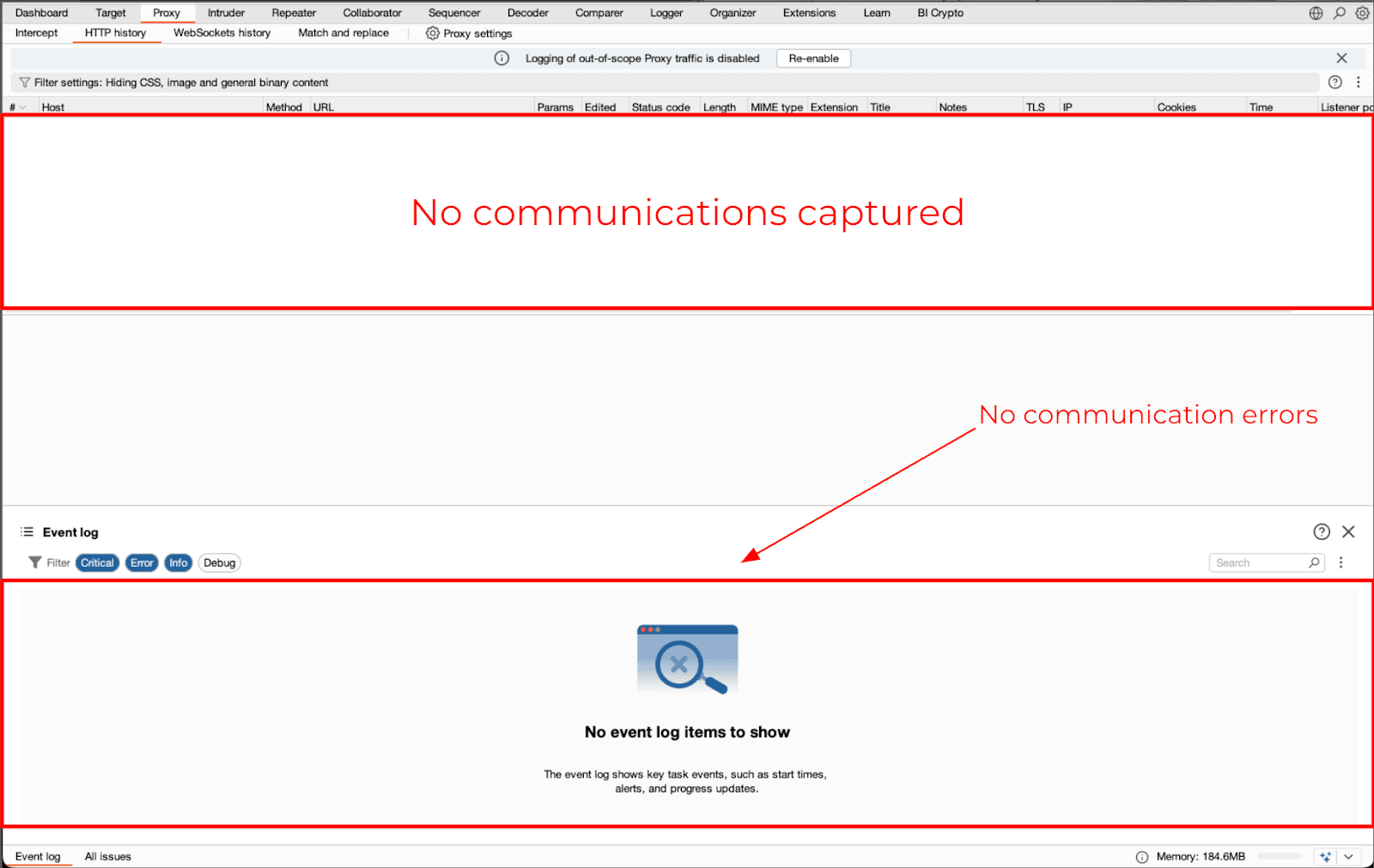
As an alternative to the previously identified issue, Flutter applications will often produce zero traffic in Burp even when the Burp CA has been added as a trusted root authority and there are no restrictions on SSL Pinning.
This behavior is due to how Flutter handles networking. In general, many Flutter applications either use the HttpClient provided in dart:io or custom plugins, or they use native networking stacks that may not respect the user’s proxy configuration and therefore will ignore the proxy from the application’s perspective.
To identify Flutter applications and SSL Pinning implementations during Mobile Security Assessments our team use on a daily basis the Tungstenic tool developed by Just Mobile Security team which among other functionalities like detecting vulnerabilities, managing projects, performing static and dynamic analysis is also capable of performing full reconnaissance over iOS and Android applications, detecting frameworks, RASPs, binary protections and security implementations like SSL Pinning.
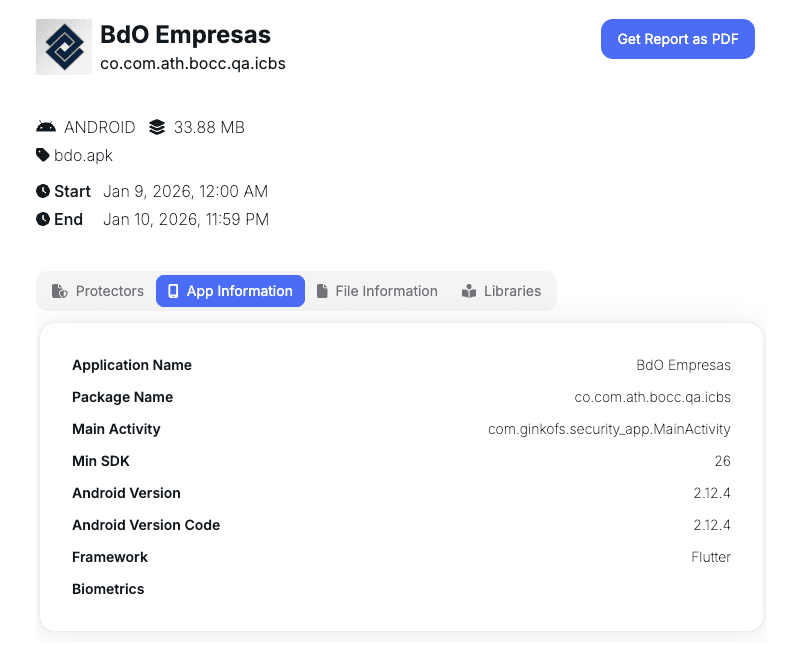
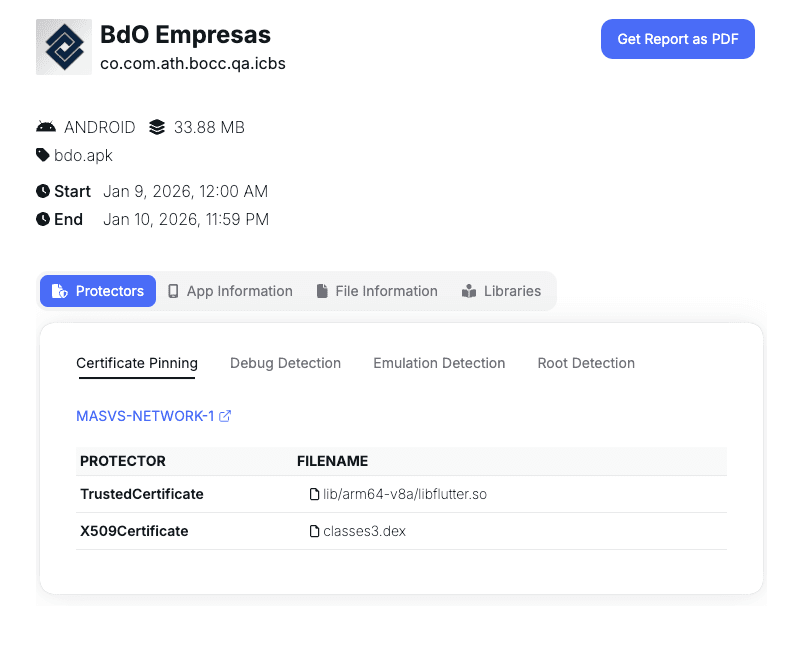
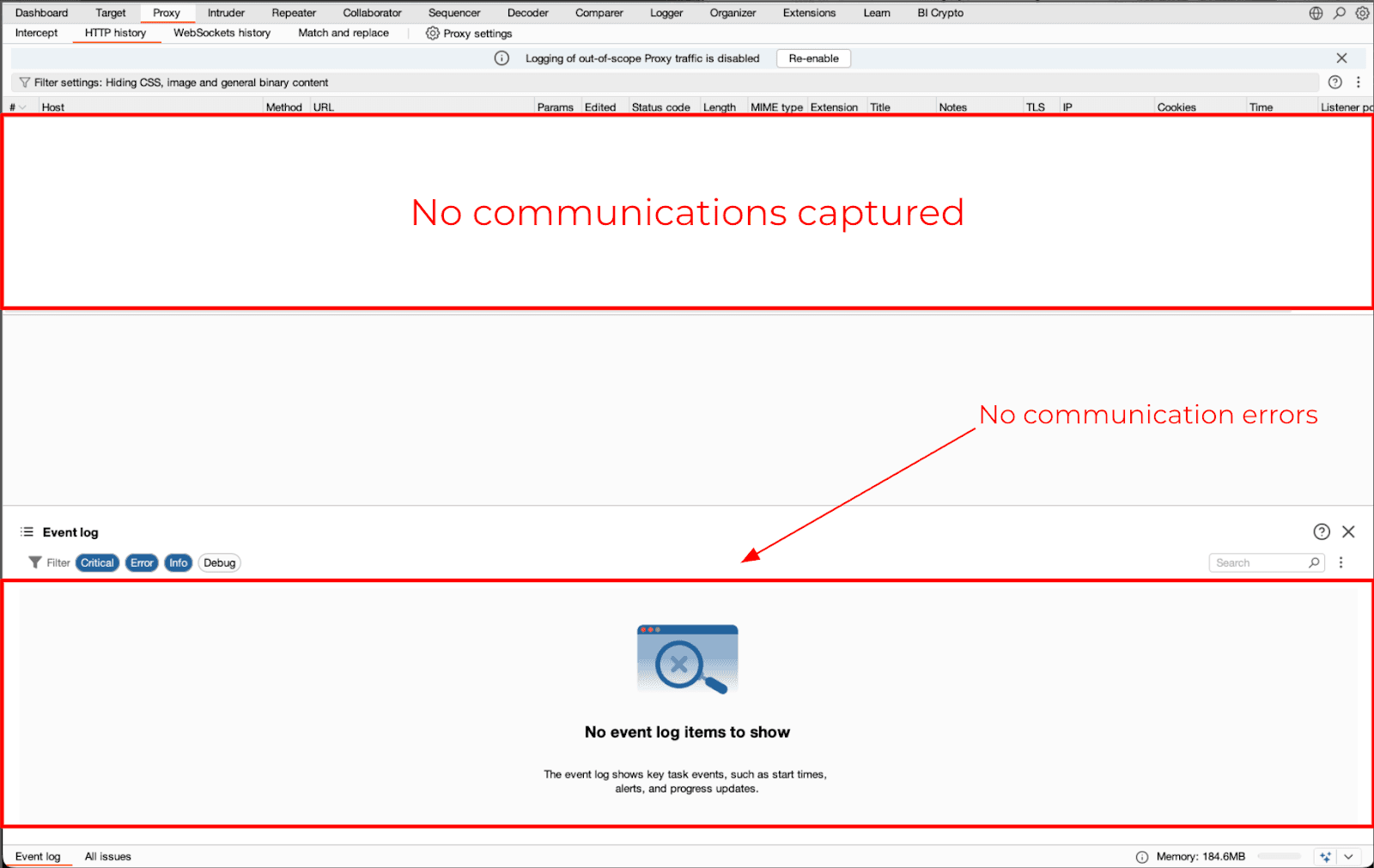
Figure 5 & 6: Burp capturing no network traffic from a Flutter application using the classic interception approach.
Changing proxy configurations or adding the Burp Certificate Authority as a trusted root does not change the result at this time.
Intercepting Flutter traffic with frida4burp (Android)
frida4burp is an example of how you can reliably capture Flutter traffic via runtime socket redirection. The frida4burp is a curated collection of scripts for Frida, created by Mayk, which will forward your mobile traffic directly into Burp, without having to configure your operating systems proxy settings.The git repository for frida4burp is cloned once, then shared across both ios and android assessments: frida4burp forwards mobile traffic directly into Burp via runtime socket redirection:
git clone https://github.com/y0k4i-1337/frida4burpBefore running the app, the frida4burp needs to be configured. The config.js file is opened in order to specify the IP address and port number of the burp listener as well as the CA cert in PEM format needed to intercept TLS.
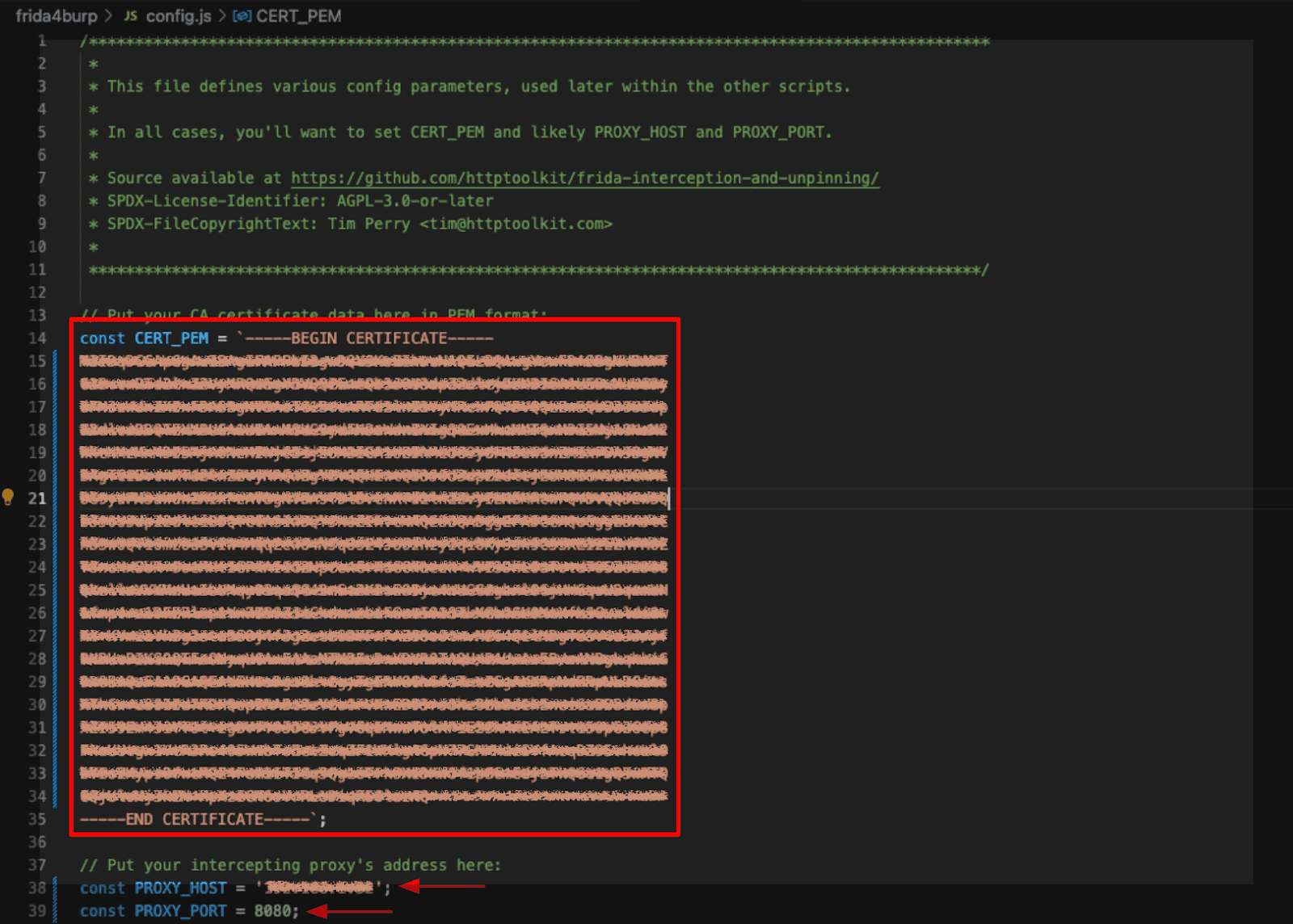
This configuration will ensure that all outgoing requests are correctly forwarded and allow tls intercepts without causing the apps to break.
Once configured the flutter app is run under frida control, using the android-proxy-override.js file:
frida -U -f <APP_PACKAGE> \
-l config.js \
-l android/android-proxy-override.js
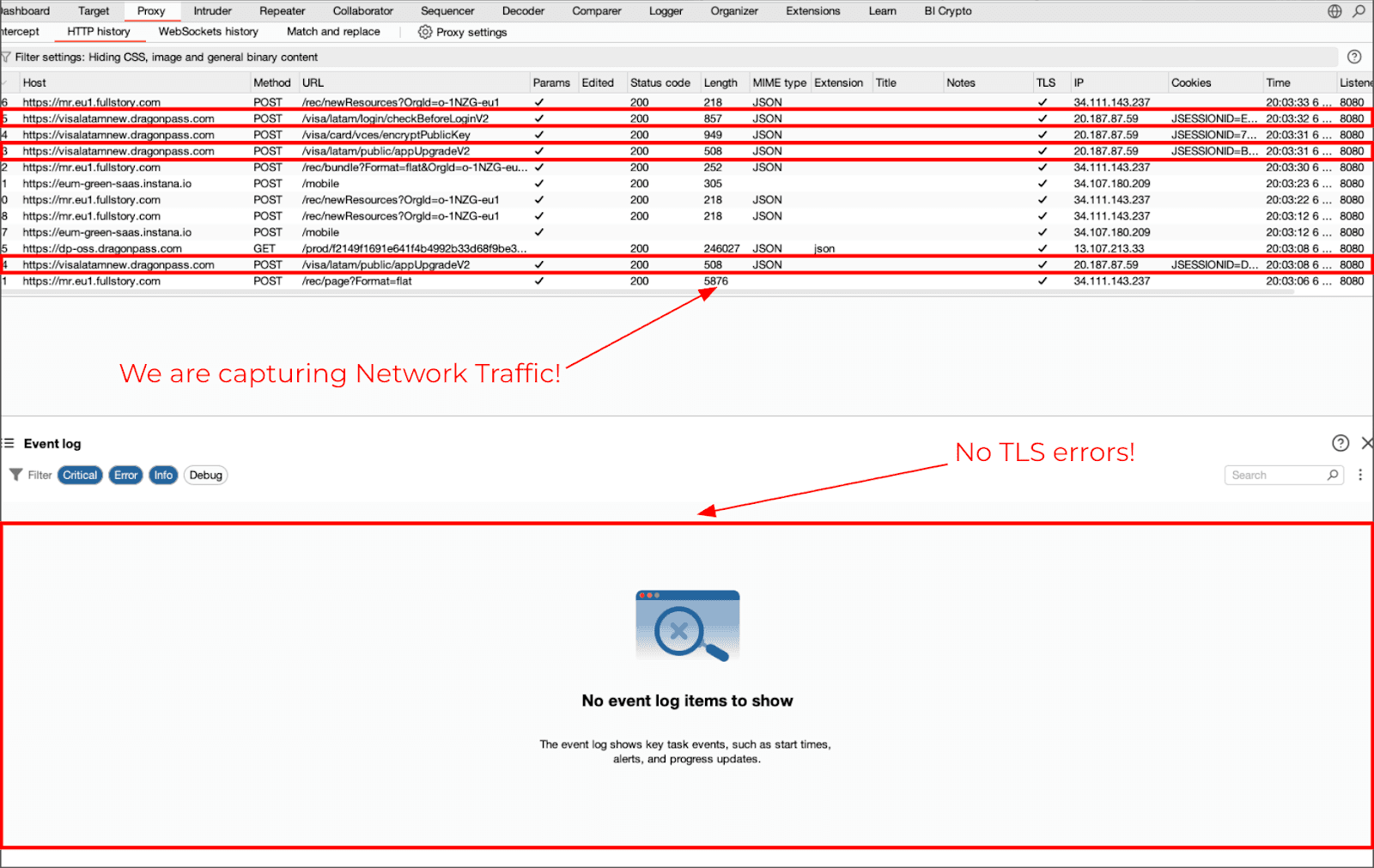
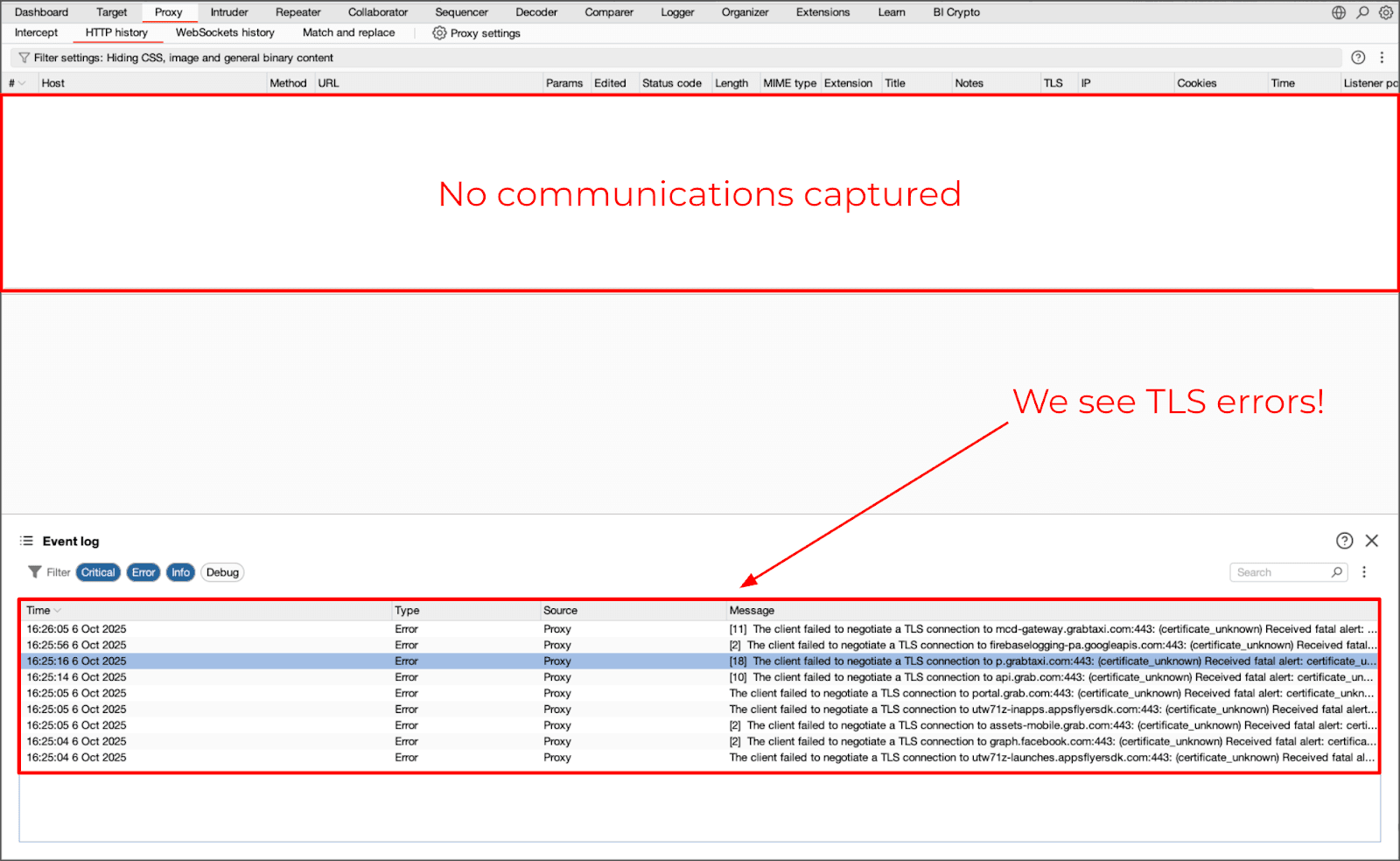
At this point there has been no SSL Pinning bypass applied. Only the socket redirection has been done to determine if the app was utilizing the system proxy or bypassing it. Most Flutter applications will start showing traffic in burp almost immediately.
Combining frida4burp and SSL pinning bypass
In addition to disabling ssl pinning, in order to bypass tls verification, you will have to use additional scripts for a flutter app that uses ssl pinning.frida -U -f <APP_PACKAGE> \
-l config.js \
-l android/android-proxy-override.js \
-l android/android-system-certificate-injection.js \
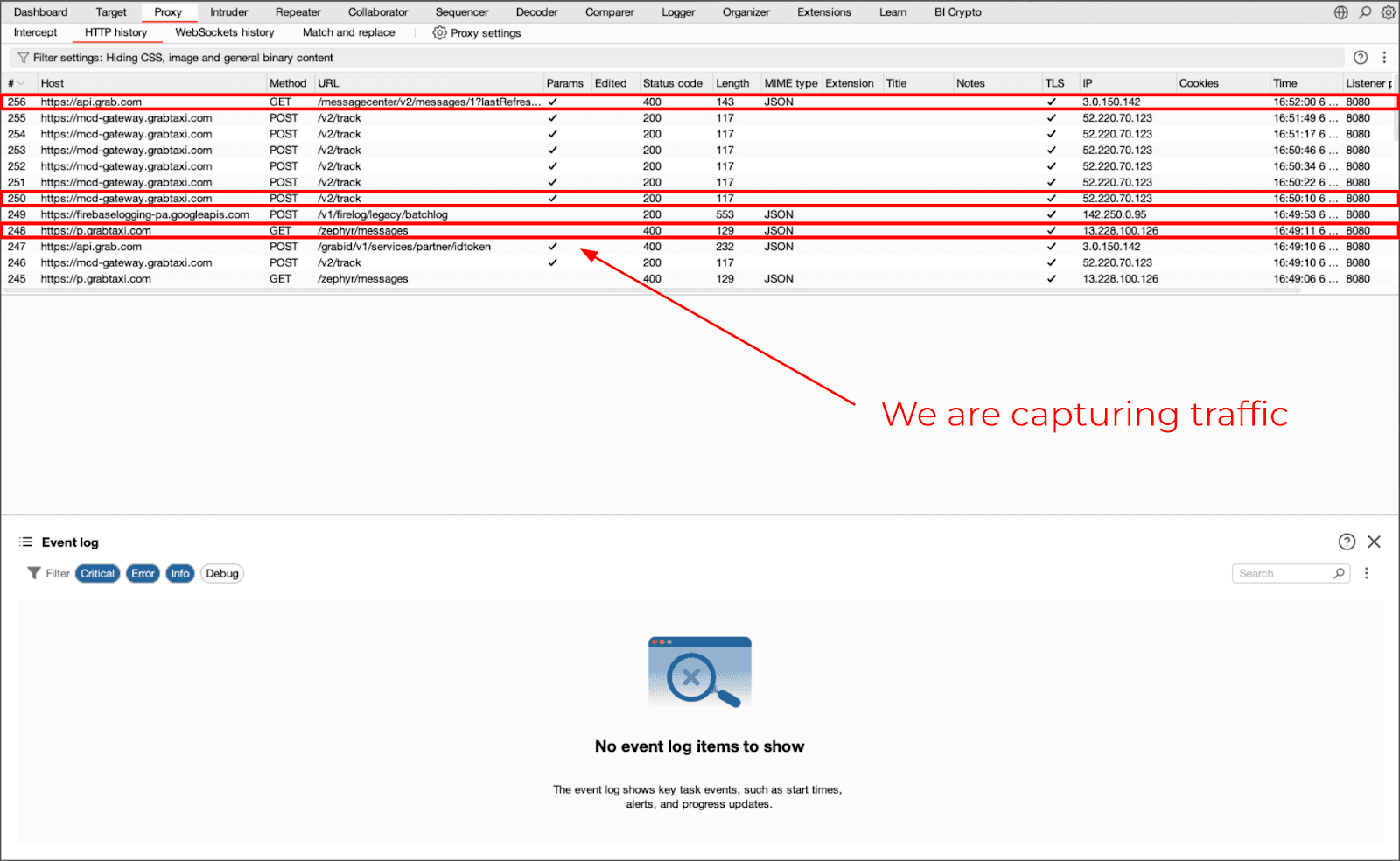
-l android/frida-multiple-unpinning.jsWith all of these tools combined, you should be able to capture and analyze each and everyone of your Flutter Apps’ traffic — even if they are using HTTP/2. A key item to note is that without socket redirection, Flutter apps cannot be intercepted, regardless of how you configure your proxy.
Intercepting traffic on iOS
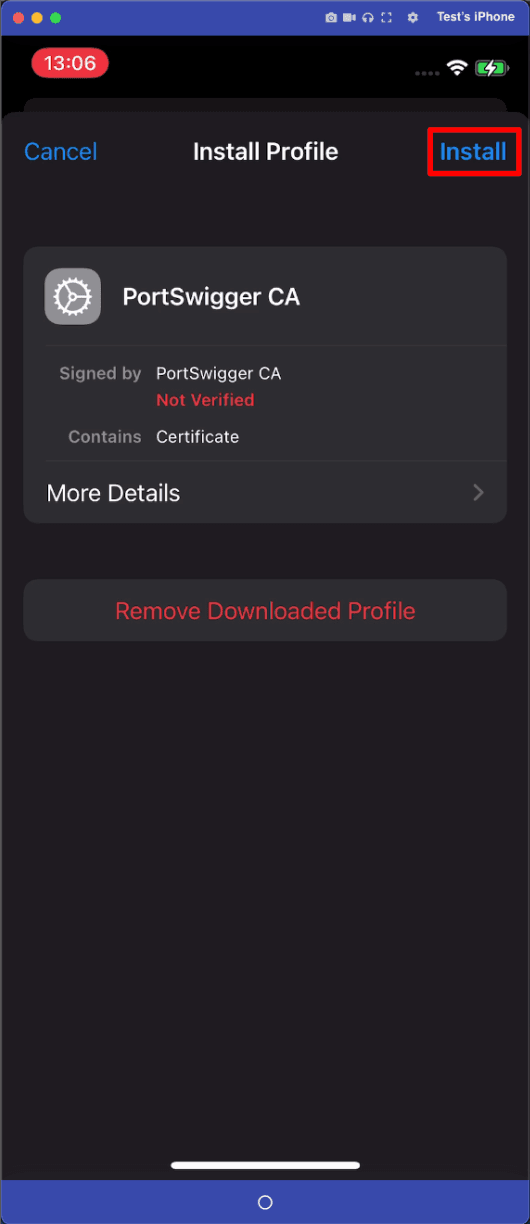
On an iOS device (with the baseline configuration already established), with the Burp CA installed, with proxy configured, with browser-based connectivity confirmed. If you do not see your traffic displayed, then SSL Pinning is usually the most significant blocking issue to bypass.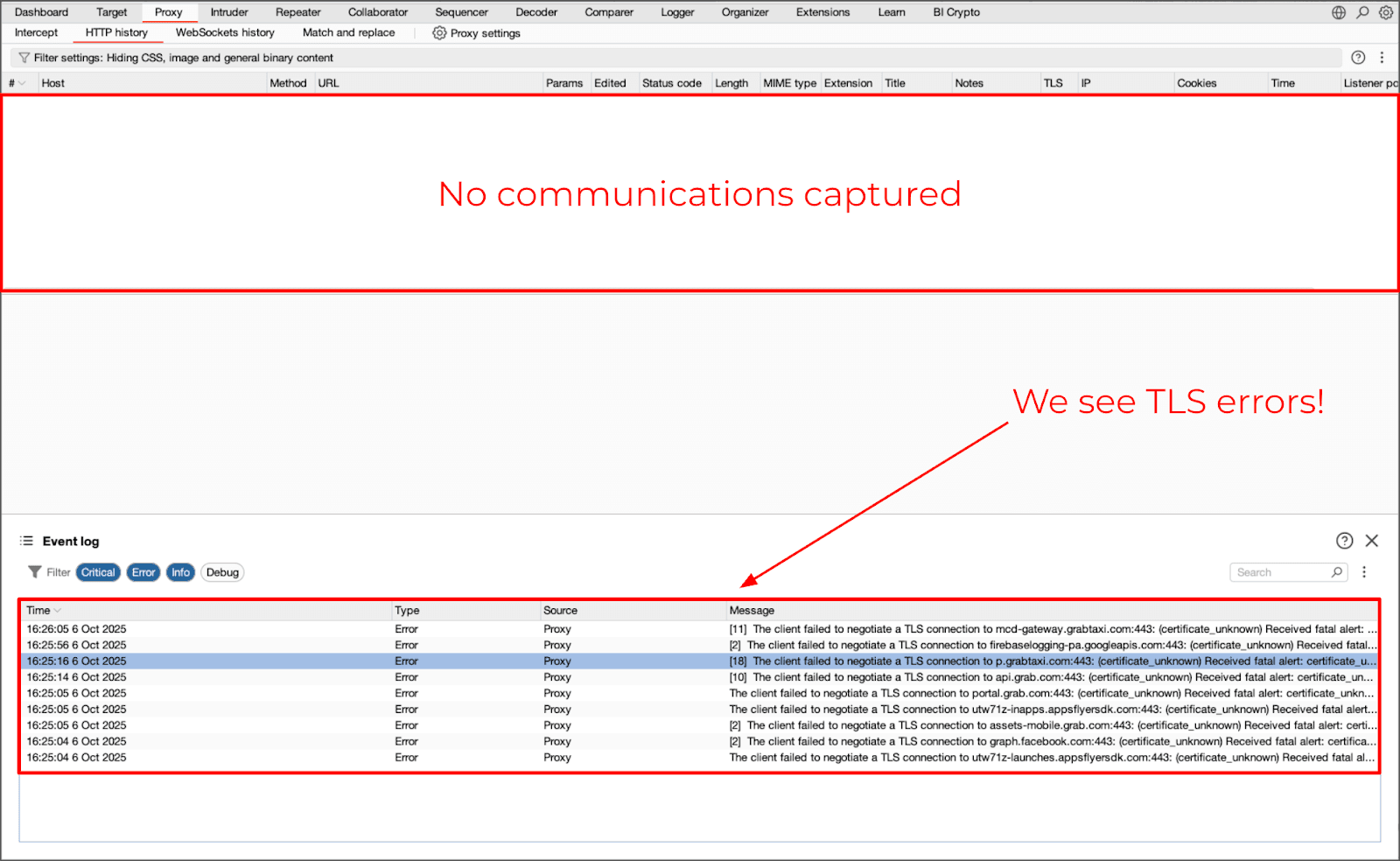
SSL Pinning bypass with SSL KillSwitch
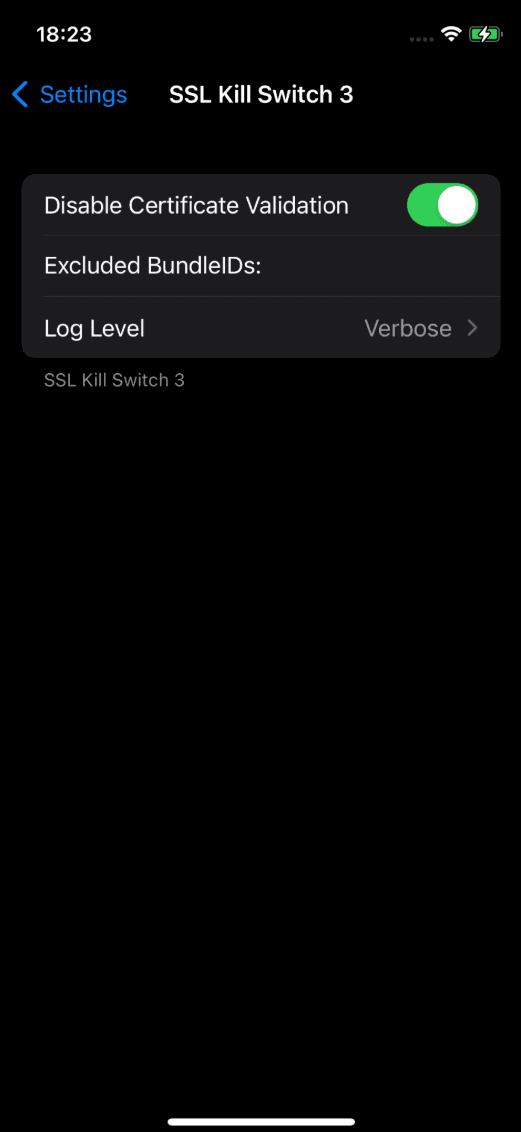
A jailbroken device can be used to bypass TLS Certificate Validation using the popular “SSL KillSwitch” by “NyaMisty”, that can be installed via Sileo/Zebra or directly from the .deb release with dpkg. The tweak, when activated from the device’s settings, will disable all of the system-level validations for TLS certificates. Once the tweak has been activated, the majority of the applications that have had their SSL validation turned off will begin sending traffic directly through the proxy, and no additional instrumentation is needed for them to communicate with the proxy again.This method allows for broad testing, however, it is global and does not provide much insight as to what specific checks are being bypassed.
Runtime SSL pinning bypass with Objection
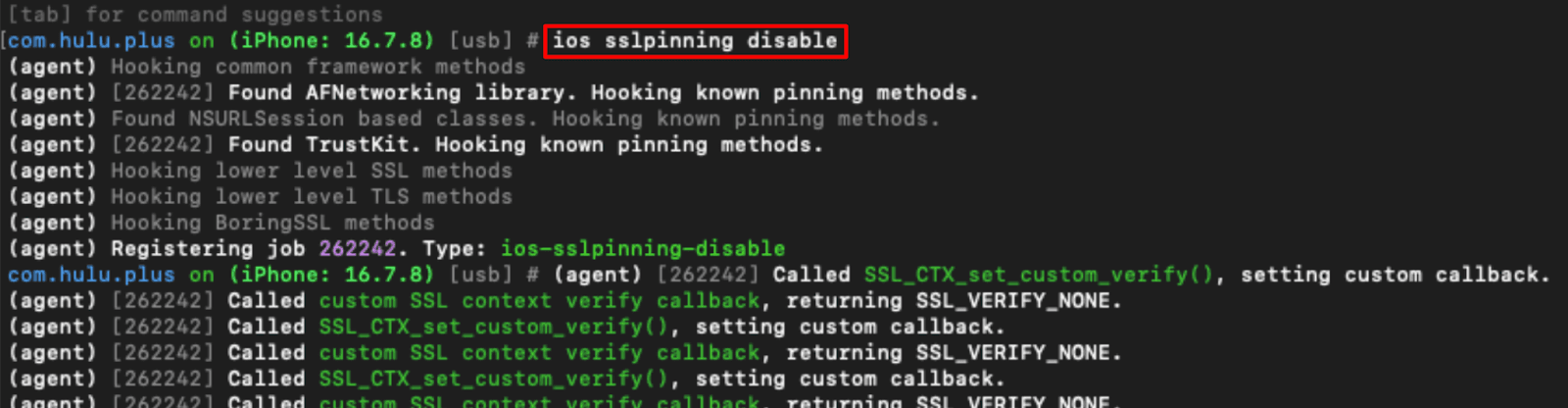
Using Objection for a more controlled environment allows you to run your tests using a more precise instrumented approach. Objection is a runtime mobile exploration toolkit, powered by Frida that in the past November released a major update supporting Frida 17 and many other features. To disable SSL pinning for a single application via Objection (mobile test framework utilizing Frida), enter the following commands:frida-ps -Uai
objection --gadget <BUNDLE_ID> explore
ios sslpinning disableSSL pinning will be disabled for this one application once you have applied the hook. Once again, there are no system wide effects from running this type of testing because it only applies to the application being tested. The nature of the testing makes it a good fit for targeted testing methodologies.
Flutter on iOS
As with Android, Flutter apps on iOS have the same non-proxy-aware issues as well. Even when SSL pinning is turned off, some data (traffic) will never go through the proxy, it will go directly around the system proxy.The problem isn’t a lack of TLS validation, the problem is the networking layer that in the past could be circumvented using techniques like the ones described in this post.
Redirecting Flutter iOS traffic with frida4burp
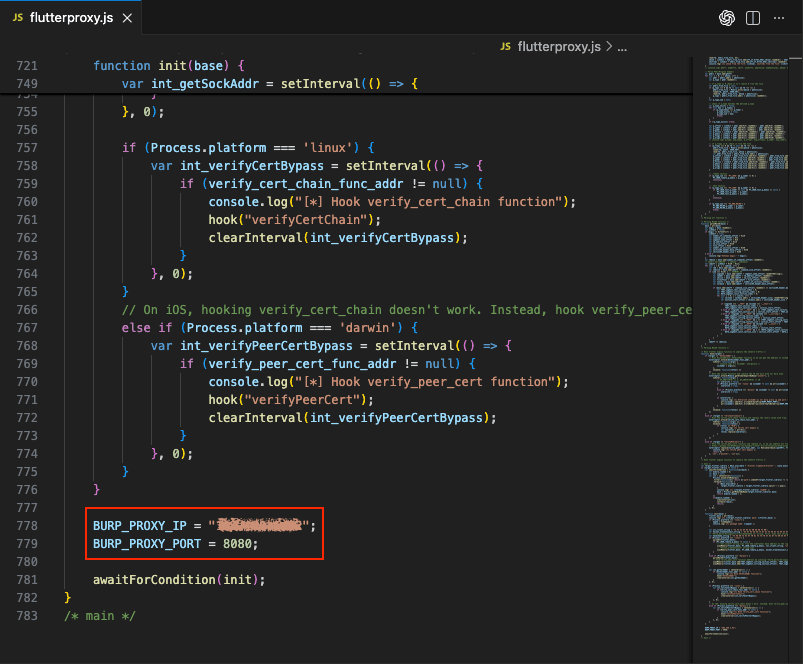
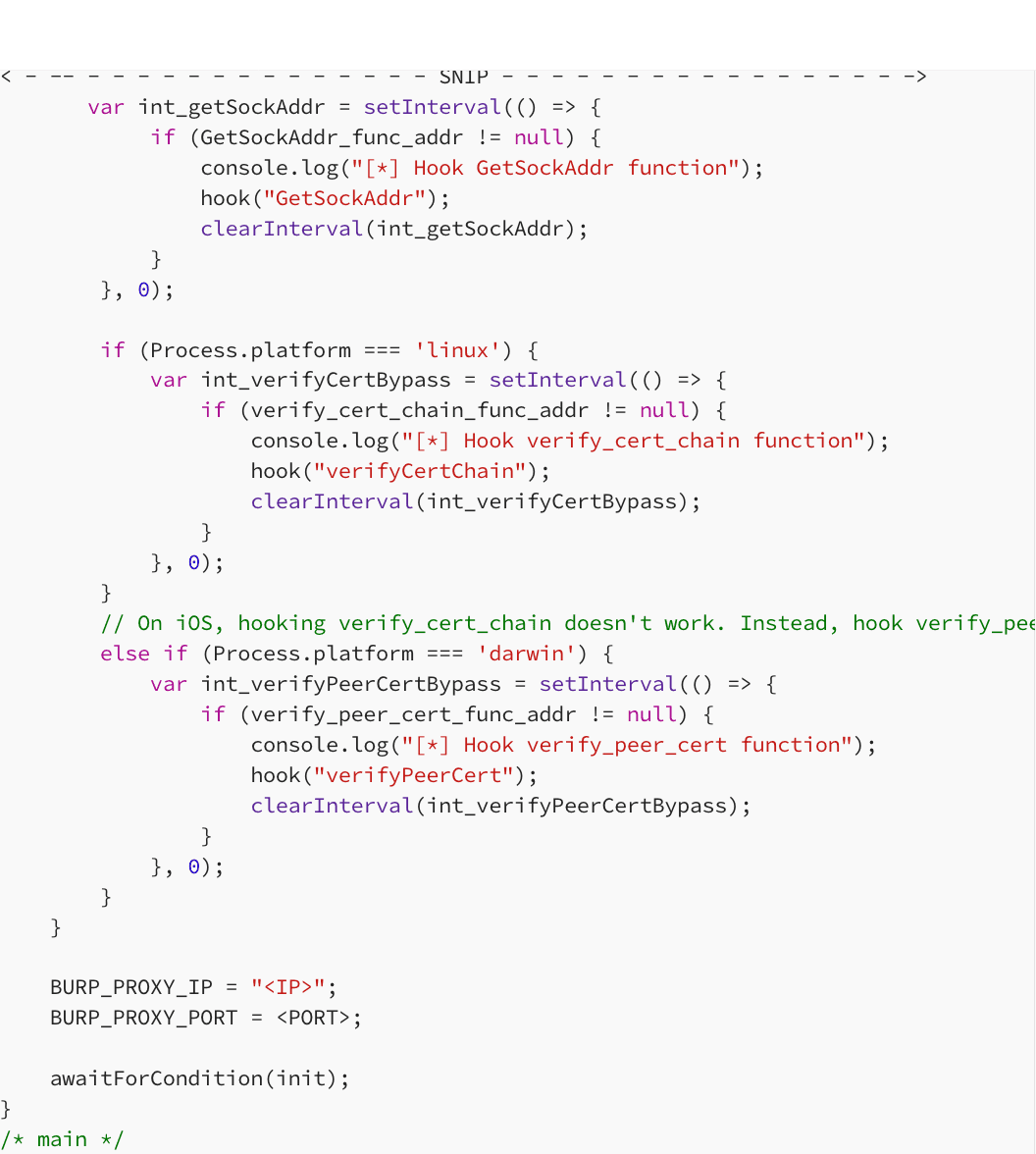
For Intercepting Flutter Traffic on iOS, you need to perform Socket Level Interception. Outbound connections are redirected and rewritten in real-time and thus traffic goes to Burp regardless of proxy configurations.First, you need to adjust your Flutter-specific script before attaching to the Process. The flutterproxy.js file has to be modified to define the Listener IP and Port that was defined when configuring Burp for the Redirect of Traffic.
After modifying the script, you attach to the Target Process and load your Flutter-specific Hooks. This includes the Flutter’s TLS verification disable script from TheDauntless:
frida-ps -Uai
frida -U -p <PID> \
-l flutterproxy.js \
--codeshare TheDauntless/disable-flutter-tls-v1
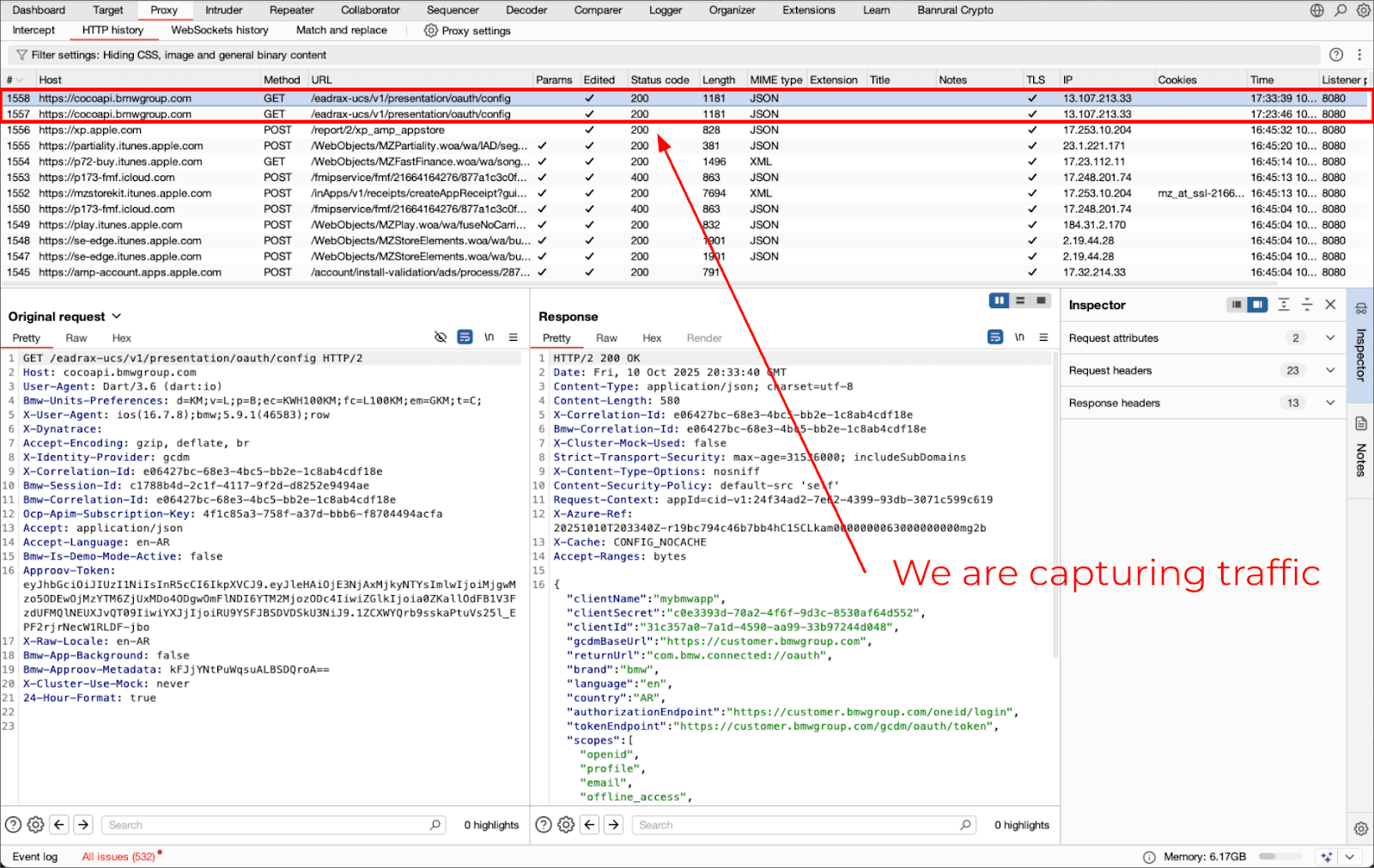
Once the hooks are loades, all Flutter-Traffic is redirected to Burp via the Socket. All Traffic from Flutter, which is generated through its networking Layers, can now be seen in Burp.
Final thoughts
Classic proxy intercept model limitations have been exceeded by modern mobile application development. Due to their frameworks (such as Flutter), the strict nature of their security models on Android, and the prevalence of “SSL pinning”, classic configuration based approaches for intercepting web traffic are less effective than they once were.Interception of application traffic is still feasible; however, this will require runtime instrumentation and an understanding of how the application communicates with the back-end service. Once an application’s traffic can be intercepted, the issue shifts from determining if the traffic can be observed, to what the impact of observing that traffic will be in a scenario where the proper backend controls are enforced.
While this guide focused on Frida-based techniques, other more specialized methods such as VPN-based interception, IPtables, or Fake DNS approaches can also serve as powerful alternatives depending on the specific environment and the level of access to the device.
Server-side controls set the boundaries for client-side protection.
Stay tuned to the following posts and don’t forget to follow us!!
Just Mobile Security Team
Try Tungstenic: Next-level mobile application vulnerability protection.
Contact Us
If you need to analyze your application contact us here:
sales@justmobilesec.com | Sales
Any other doubts or questions, don’t hesitate to write to us!
info@justmobilesec.com | Contact
Work with us!